Connectivity

Phone numbers, SIMs and staying reachable anywhere.

Get a Hong Kong Mobile Number from HK per year with Club Sim eSIMConnectivityHow to Keep an Active Hong Kong Phone Number for HK$15/Year: Club Sim eSIM Complete GuideFor global digital nomads, international investors, and location-independent professionals, having access to a reliable, low-cost international phone number is an…Philippines DITO eSIM promo: zero monthly fee, low-cost number preservation, perfect for SMS reception, keep your number for about 5 pesos a yearConnectivityGetting a Philippine DITO eSIM (and Keeping the Number Alive for Pennies)A cheap Philippine number that's great for receiving codes and costs about 5 pesos a year to keep alive. Full…Xesim 实体卡与包装盒,外观和普通 SIM 卡一样ConnectivityXesim: eSIM for Phones That Still Have a Physical SIM SlotXesim is a physical SIM card that gives eSIM powers to phones that still have a SIM slot — store…

Category: Connectivity

  • How to Keep an Active Hong Kong Phone Number for HK$15/Year: Club Sim eSIM Complete Guide

    How to Keep an Active Hong Kong Phone Number for HK$15/Year: Club Sim eSIM Complete Guide

    For global digital nomads, international investors, and location-independent professionals, having access to a reliable, low-cost international phone number is an essential component of a borderless lifestyle. Among regional telecom hubs, a Hong Kong (+852) phone number is widely considered the holy grail: it operates with zero internet censorship, enables seamless registration across global fintech apps, brokerage accounts, crypto exchanges, and social platforms, and allows you to receive two-factor authentication (2FA) SMS codes worldwide completely free of charge.

    The challenge has always been maintenance costs. Traditional physical Hong Kong SIM cards often demand recurring monthly plans or expensive top-ups that expire quickly. Enter Club Sim, a digital sub-brand operated by Hong Kong’s largest telecommunications conglomerate, HKT (Hong Kong Telecom / CSL). With Club Sim’s unique pay-as-you-go architecture, you can keep a genuine Hong Kong cellular number active for just HK$15 per year (roughly $1.90 USD) — with zero monthly commitments.

    In this comprehensive guide, I will break down the underlying mechanics of how Club Sim’s validity extension works, how to navigate the initial HK$50 checkout threshold, how to pass Hong Kong’s mandatory Real-Name Registration (RNR), and how to set up an eSIM profile even if your phone lacks native eSIM hardware.
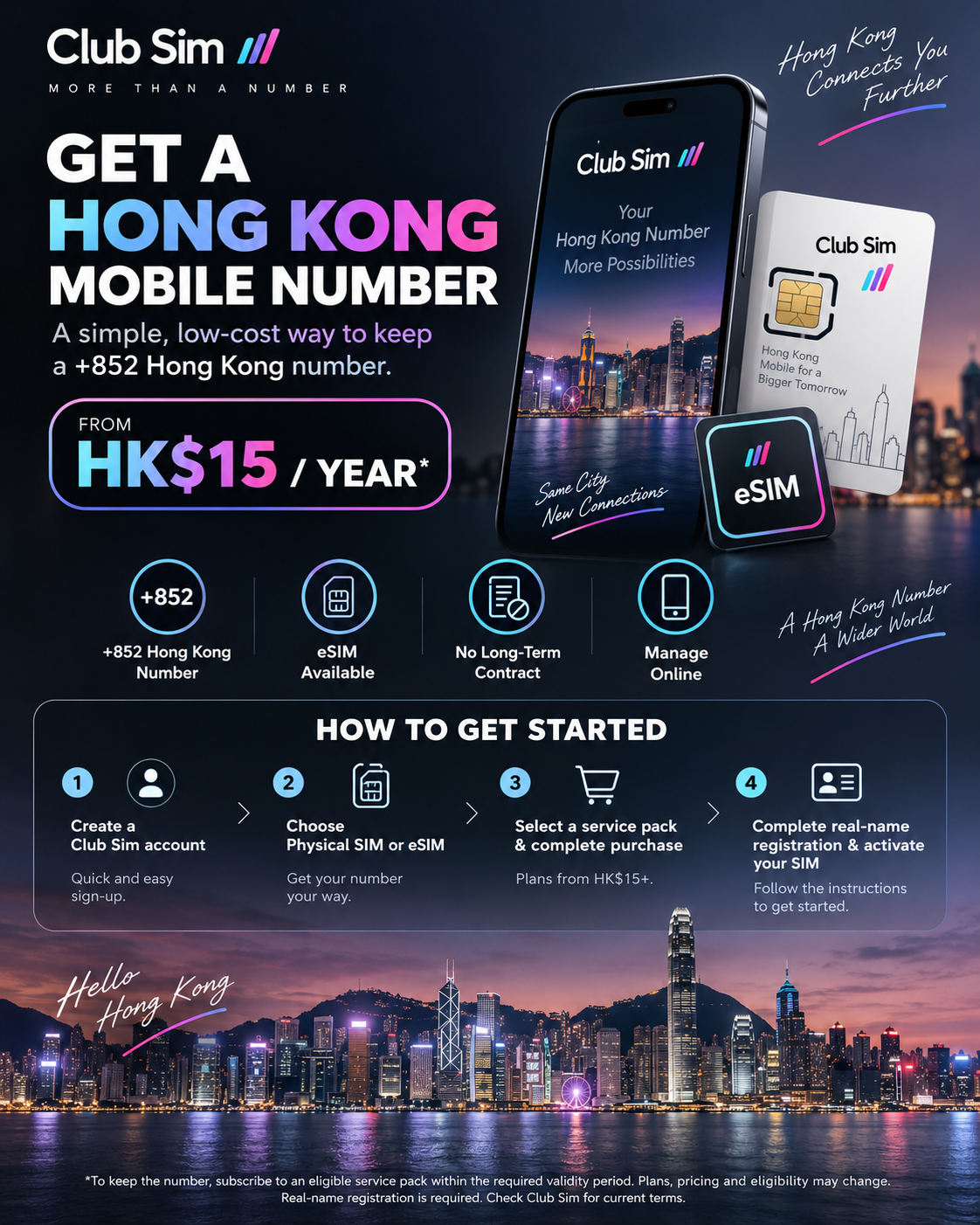
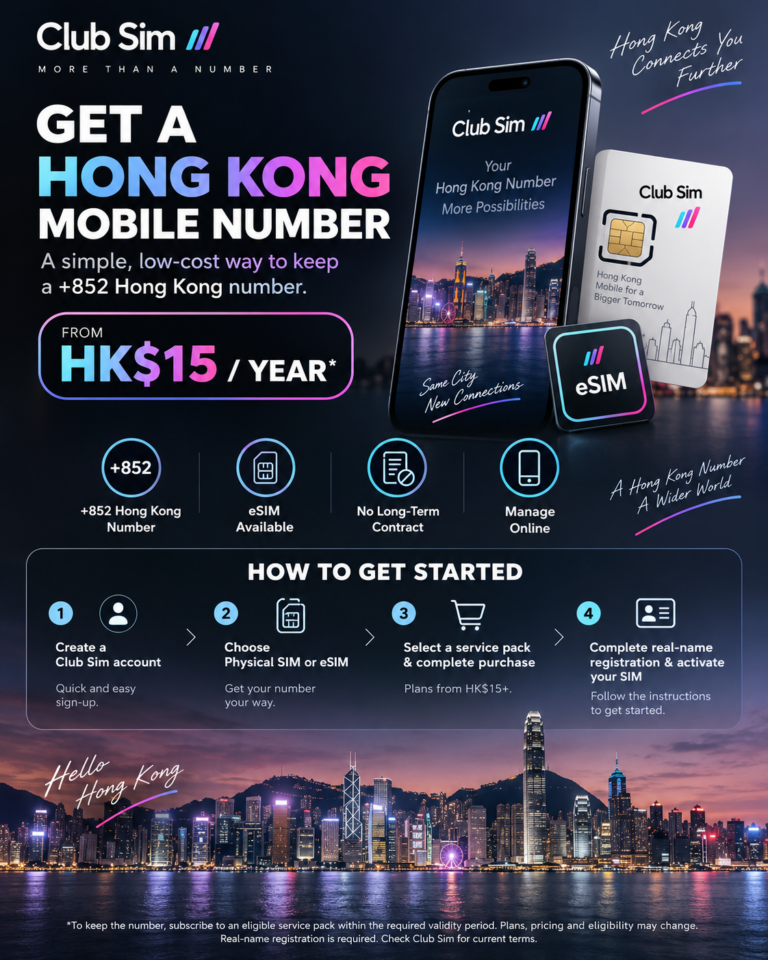
    Keep an active Hong Kong phone number for HK$15 per year with Club Sim eSIM
    Club Sim eSIM: Maintain a legitimate Hong Kong +852 mobile identity for under $2 a year.

    The Underlying Mechanics: Why Club Sim is the Ultimate Nomad SIM

    Before jumping into the purchase flow, understanding how Club Sim operates technically will help you avoid costly mistakes:

    1. The Validity Extension Mechanism (Why HK$15 Keeps It Alive)

    Club Sim does not charge a fixed monthly subscription. Instead, your mobile number’s expiration date is tied strictly to the validity of your purchased service packs. Club Sim offers an “Asia Data Roaming Day Pass” for HK$15. While the actual high-speed data usage is calibrated on a 24-hour daily pass model once activated abroad, the purchased pass itself remains valid for a full 365 days in your account. The moment you purchase or renew this HK$15 pass, Club Sim automatically extends the entire SIM card and cellular number’s lifecycle by an additional 12 months.

    2. Free Global Inbound SMS

    As long as your number is active, incoming SMS messages — including verification OTPs from banks (HSBC, Wise, iFAST), brokers (Interactive Brokers, Futu, Tiger), social platforms (WhatsApp, Telegram, WeChat, X), and AI platforms (ChatGPT, Claude) — are 100% free to receive worldwide. Note that Club Sim no longer offers standalone outbound SMS packages; it is primarily designed as a high-value inbound receiving identity and roaming data tool.

    3. The First-Purchase Threshold Hack (HK$50 Rule)

    Club Sim enforces a minimum cart threshold of HK$50 for the initial new SIM purchase. You cannot simply check out with a single HK$15 pass on day one. To cross this threshold with maximum practical value, we pair a Mainland China/Macau Roaming Data Pack (HK$38 for 1GB, valid for 90 days) with an Asia Roaming Day Pass (HK$15, valid for 365 days). This totals exactly HK$53 (~$6.80 USD). For all subsequent annual renewals, the HK$50 minimum order threshold no longer applies — you can purchase single HK$15 passes directly.

    4. eSIM vs. Physical SIM (Crucial Distinction)

    Club Sim offers both physical SIM cards and digital eSIMs. However, physical Club Sim cards must be physically connected to a local Hong Kong cellular tower to activate. If you are ordering from outside Hong Kong, you must select the eSIM profile, which delivers an instant QR code via email and can be activated remotely anywhere in the world.

    Prerequisites: What You Need Ready

    1. eSIM-Capable Device: An unlocked smartphone supporting digital eSIM (iPhone XS or later, Google Pixel, modern Samsung Galaxy). Tip for physical-SIM-only phones: If your device lacks native eSIM hardware (such as Mainland Chinese dual-physical-SIM iPhones), you can use a programmable smart card like Xesim (X2 Pro) to burn the Club Sim eSIM profile directly onto a physical card.
    2. Identity Document for Verification: A valid international passport or Hong Kong/Macau Exit-Entry Permit for the legally mandated Real-Name Registration.
    3. Payment Method: Standard Alipay, WeChat Pay, or an international credit/debit card (Visa, Mastercard).

    Step-by-Step Purchase Walkthrough

    Step 1: Access the Club Sim Portal

    Visit the official Club Sim website. On the top navigation bar, locate the new user onboarding section and click “New User / Join Club Sim” to initiate the registration.
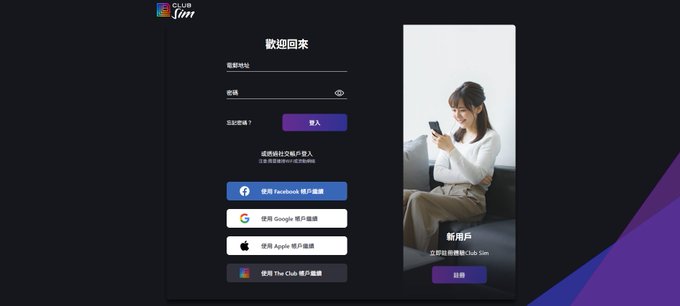
    Club Sim new user portal screen
    Navigate to the Club Sim registration page.

    Step 2: Create Your Account

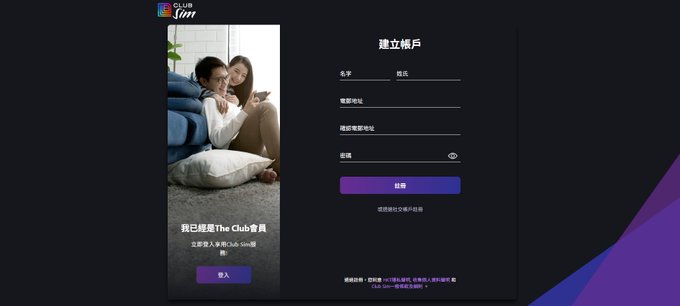
    Choose “Continue with Email”. Enter your primary email address, choose a secure password, and enter your First Name and Last Name in English/Pinyin. Make sure your name spelling matches your passport exactly, as this ensures instant verification during the subsequent KYC review.
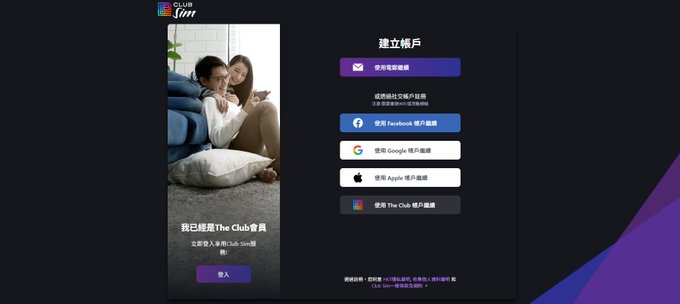
    Select email registration on Club Sim
    Choose email registration to ensure seamless delivery of your eSIM profile.
    Club Sim account registration form
    Input your legal name matching your identity document.

    Step 3: Email Verification (Crucial Next Step)

    Check your inbox for a verification email from Club Sim and click the confirmation link. You will be redirected to an “Authentication Successful” screen displaying two options:

    • Buy New Club Sim Now
    • Start Real-Name Registration

    Crucial Rule: Click “Buy New Club Sim Now” first! Do not attempt Real-Name Registration yet — you do not possess an active SIM card or ICCID number to bind until your order is placed.
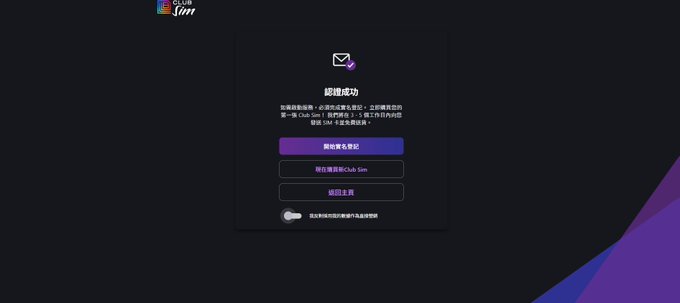
    Club Sim authentication successful screen
    Click ‘Buy New Club Sim Now’ before attempting real-name registration.

    Step 4: Select eSIM Profile

    When prompted to select your SIM type, select eSIM. The platform will ask for your phone model; simply choose your device model from the dropdown or pick a general compatible model. Tap continue.
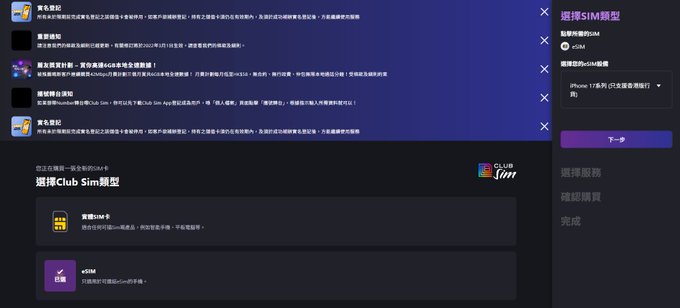
    Select eSIM profile type on Club Sim
    Select digital eSIM for remote, instant over-the-air activation.

    Step 5: Apply the HK$53 Cart Strategy

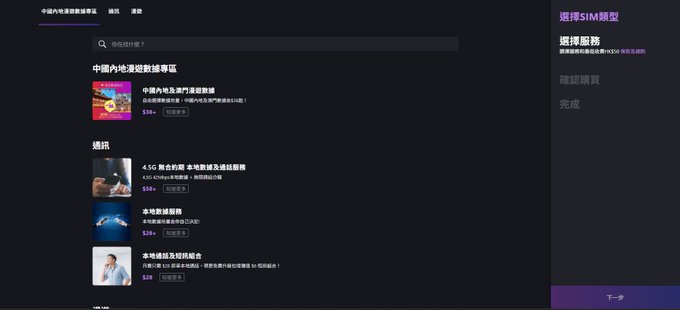
    You will now arrive at the service catalog. Remember, your order total must reach at least HK$50 to unlock checkout. Follow this exact combination:

    1. Navigate to “China & Macau Data Roaming” and select the 1GB Data Pack (90-day validity) for HK$38.
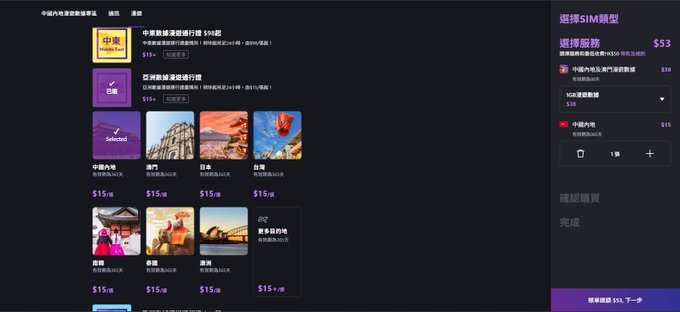
    2. Navigate to “Data Roaming Day Pass”, choose Asia, and select the HK$15 Pass (365-day validity).

    Your cart will total exactly HK$53, which clears the platform minimum effortlessly.
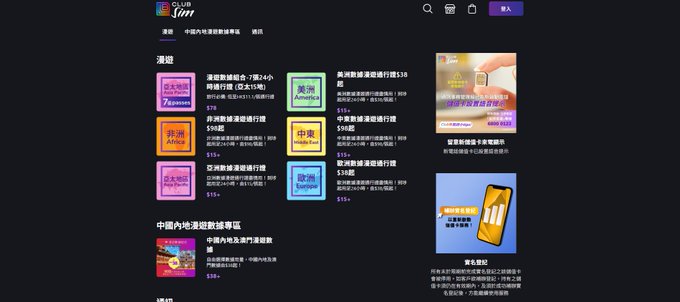
    Club Sim service categories
    Explore roaming data packs to assemble your HK$50+ cart.
    Select China and Macau roaming pack HK$38
    Add the HK$38 data pack (1GB, 90-day validity).
    Add Asia data roaming pass HK$15
    Add the HK$15 Asia Day Pass with 365-day validity to lock in your annual number extension.

    Step 6: Review Order & Checkout

    Review your order summary (HK$53). Enter your contact email and phone number. Make sure to click the “Verify” button next to your email address, as this is where your eSIM installation QR code will be delivered. Select your preferred payment channel (Alipay, WeChat Pay, or credit card) and complete checkout.
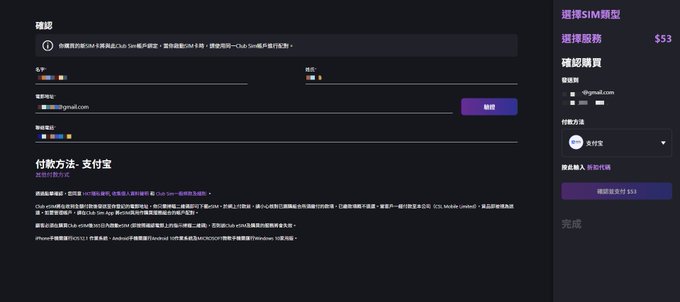
    Club Sim order confirmation screen
    Confirm the HK$53 total and verify your delivery email address.
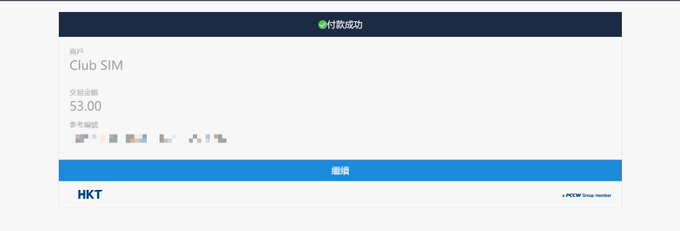
    Payment success confirmation screen
    Payment confirmed via HKT billing gateway.

    Step 7: Retrieve Your eSIM Profile & Order Details

    Upon payment completion, the screen will display your eSIM QR Code, along with your Order Number, Transaction ID, and ICCID Number. Take a high-resolution screenshot and store these identifiers securely. A duplicate confirmation containing the eSIM QR code will also arrive in your email inbox.
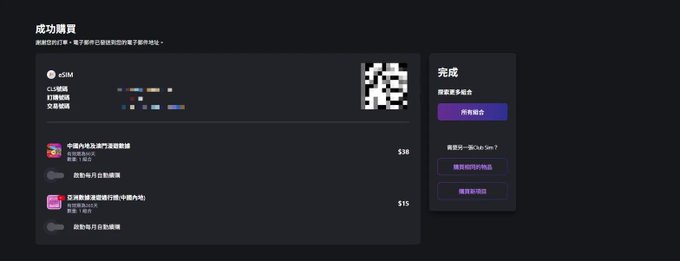
    eSIM QR code and order receipt screen
    Save your eSIM QR code and order receipt details immediately.

    Part 2: Real-Name Registration (RNR) Compliance

    Under Hong Kong statutory regulations (Telecommunications Ordinance), all cellular SIMs operating on local spectrum must undergo mandatory Real-Name Registration before service activation. The verification process is automated, paperless, and typically clears within 3 to 5 minutes:

    1. Download the official Club Sim App from the App Store or Google Play (or access the RNR link provided in your confirmation email).
    2. Scan your eSIM QR code or manually enter your ICCID number to bind the purchased card to your user account.
    3. Select your document type: choose Passport (international passports are universally accepted).
    4. Grant camera permissions and snap a clear photo of your passport’s personal bio page. The system’s OCR will automatically parse your legal name, document number, and date of birth.
    5. Review the parsed data, submit, and complete the quick live facial recognition check if prompted.
    6. Within minutes, you will receive an SMS and email notification confirming: “Real-Name Registration Successful”. Your dedicated +852 mobile number will now appear in your app dashboard.

    Annual Maintenance: Keeping Your Number Alive for HK$15/Year

    Here is the secret to retaining your Hong Kong number indefinitely on a shoestring budget:

    • The Renewal Strategy: Approximately 15 to 30 days before your 365-day validity period expires, log into the Club Sim app and navigate to the data roaming store.
    • Purchase a Single HK$15 Pass: Select the Asia Data Roaming Day Pass for HK$15. Because this is a renewal purchase on an existing card, the initial HK$50 minimum cart restriction does not apply.
    • Instant 1-Year Extension: The moment payment clears, your number’s active lifespan is extended by another 365 days.
    • Pro Tip on Reminders: Set a recurring reminder in Google Calendar or Apple Reminders 15 days before your annual expiration date. If a number lapses past its grace period, telecom regulations require the carrier to recycle the number back into the public pool, and recovery is impossible.

    Frequently Asked Questions for Digital Nomads

    Can I receive SMS codes from WhatsApp, Telegram, and international banks?
    Yes. Club Sim operates on HKT’s tier-1 network routing. Inbound SMS verification from global tech giants, banking institutions, and social networks is fully supported and completely free of charge regardless of where in the world you are located.

    Can I make outbound phone calls or send text messages?
    Club Sim is primarily optimized as an inbound verification number and roaming data SIM. While local Hong Kong calling can be purchased as an add-on, it does not support international roaming voice calls or outbound SMS packages at this time.

    What if my phone only supports physical SIM cards?
    If you use a phone with physical-only SIM slots (such as dual-nano-SIM iPhones sold in Mainland China), you cannot scan an eSIM QR code directly into your phone settings. The proven workaround is using a programmable physical chip such as Xesim (X2 Pro). You write the Club Sim eSIM profile onto the Xesim smart card, insert it into your phone’s physical tray, and enjoy full eSIM capability seamlessly.


    Disclaimer: Package prices, bundle structures, and regulatory registration rules are subject to change by HKT and the Hong Kong Communications Authority. Always consult the official Club Sim portal for the latest real-time terms.
  • Getting a Philippine DITO eSIM (and Keeping the Number Alive for Pennies)

    Getting a Philippine DITO eSIM (and Keeping the Number Alive for Pennies)

    Just sharing what has worked for me — not legal or financial advice. Philippine SIM registration is required by law and has to be truthful, so register with your real details. Prices and promos change over time, so check DITO’s official app or site for the latest.

    Of all the cross-border plumbing I’ve set up, a Philippine DITO number stays one of the most underrated — not because it’s fancy, but because it’s cheap, low-friction, and it works. DITO is the Philippines’ third telecom carrier (DITO CME, built with China Telecom as a partner). For a few dollars you get an overseas number that’s handy for receiving verification codes, keeps working with barely any upkeep, and — if you go on to open a Maya account — serves as the Philippine mobile number that whole setup depends on.

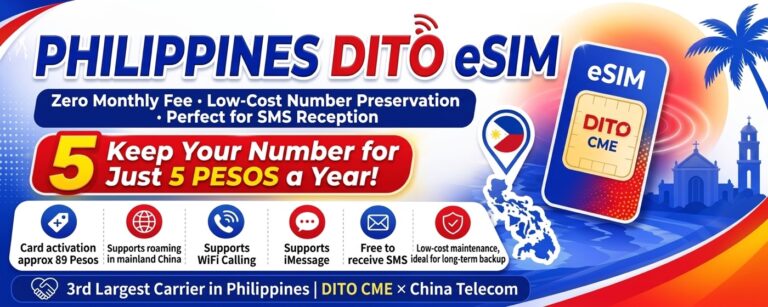
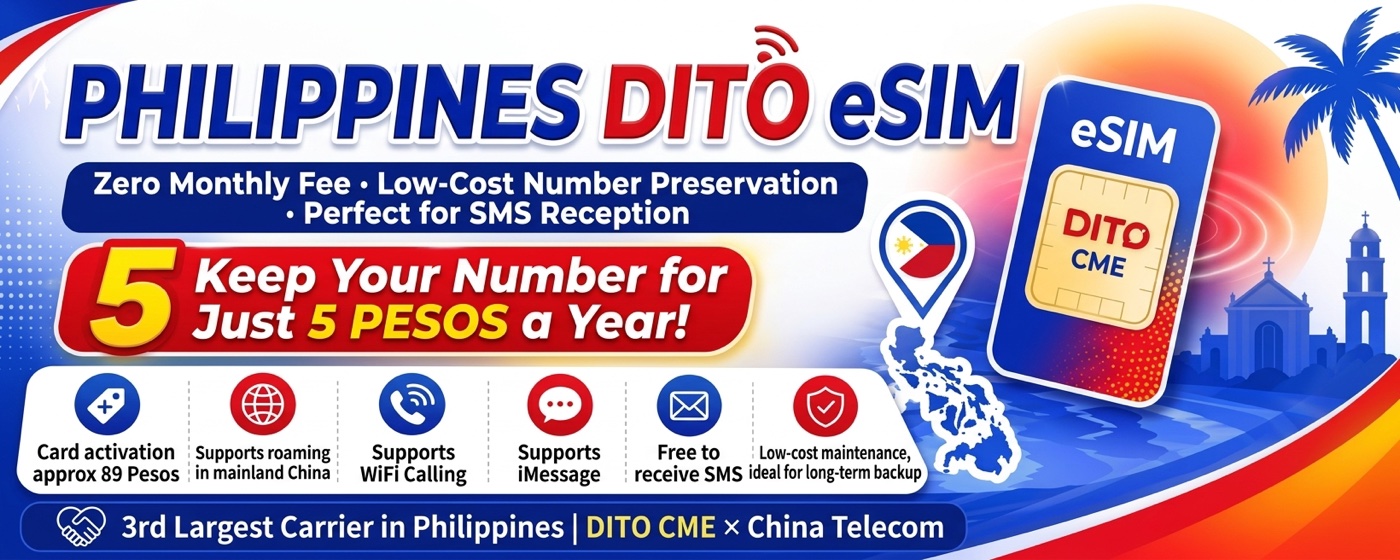
    Philippines DITO eSIM: zero monthly fee, low-cost number preservation, perfect for SMS reception — keep your number for about 5 pesos a year.

    Why DITO, and what it costs

    • eSIM cost: about ₱89 (roughly $1.5) for the eSIM itself.
    • Cost to keep the number alive: a top-up of just ₱5 (a few cents) extends the number’s validity by another year.
    • It roams in mainland China.
    • Receiving SMS is free and unlimited — which is really the whole point.

    A quick expectation-setter: think of this as a number for receiving codes and messages, not as a daily phone line. Making calls or sending SMS on an overseas number is expensive and not what it’s good at. (One caveat: the promo lists Wi-Fi Calling support, but the author of the guide I’m building on said in the comments they couldn’t actually get Wi-Fi Calling working — so don’t count on it.)

    One prerequisite: your phone needs to handle eSIM. If it can’t — a non-eSIM iPhone, or an Android that only takes a physical SIM — you can write the eSIM profile onto a physical card and use it like a normal SIM. I use Xesim for that (separate guide).

    Step 1 — Buy the eSIM

    1. Download the DITO app (App Store / Google Play).
    2. Open the app, swipe up, and go to eShop.
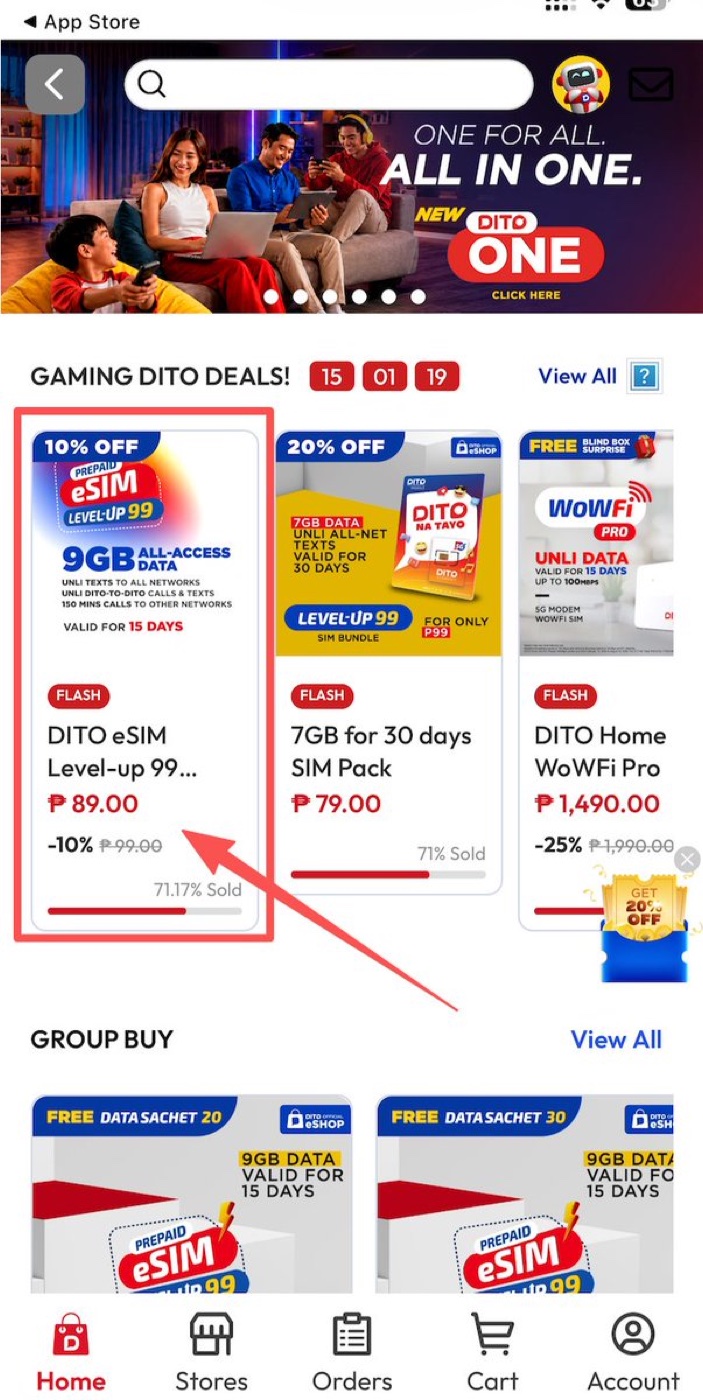
    3. Buy the ₱89 eSIM (at the time of writing it’s the “DITO eSIM Level-up 99” on a 10% flash discount).
    DITO eShop deals with the ₱89 DITO eSIM Level-up 99 highlighted.
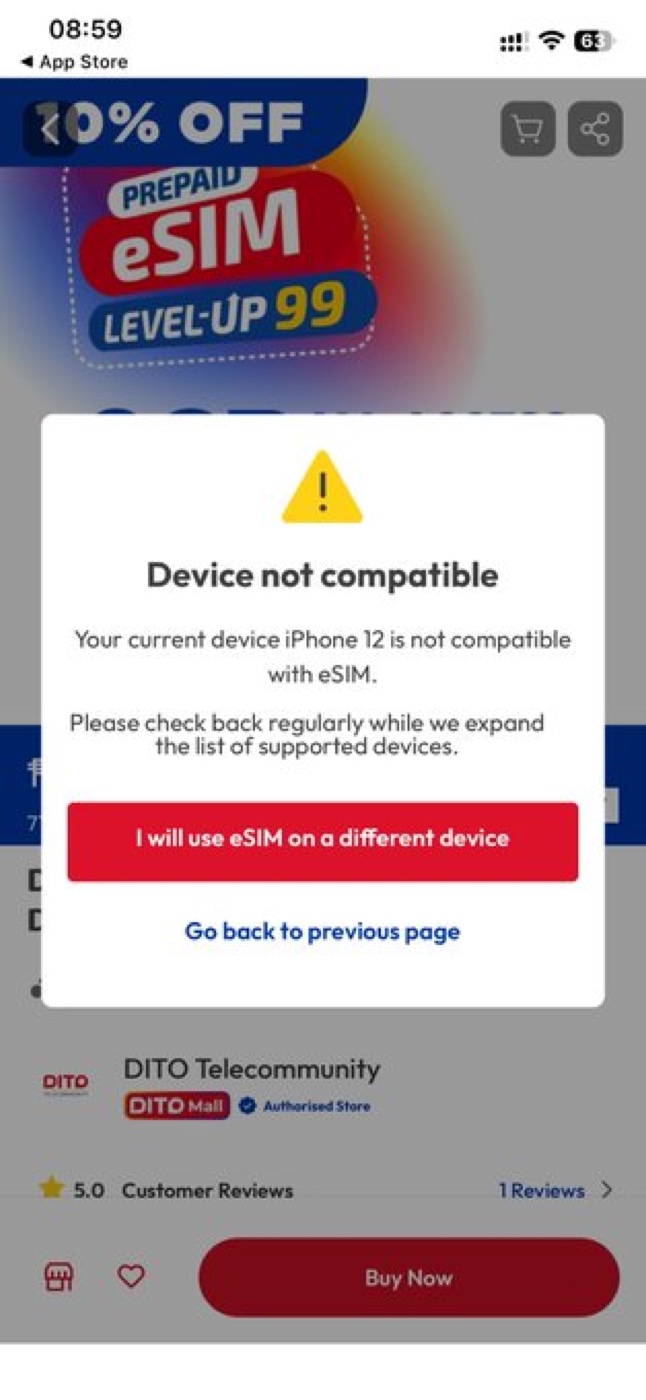
    1. Tap buy. If a popup says your current phone doesn’t support eSIM, choose “I will use eSIM on a different device.”
    A 'Device not compatible' popup with the option to use the eSIM on a different device.
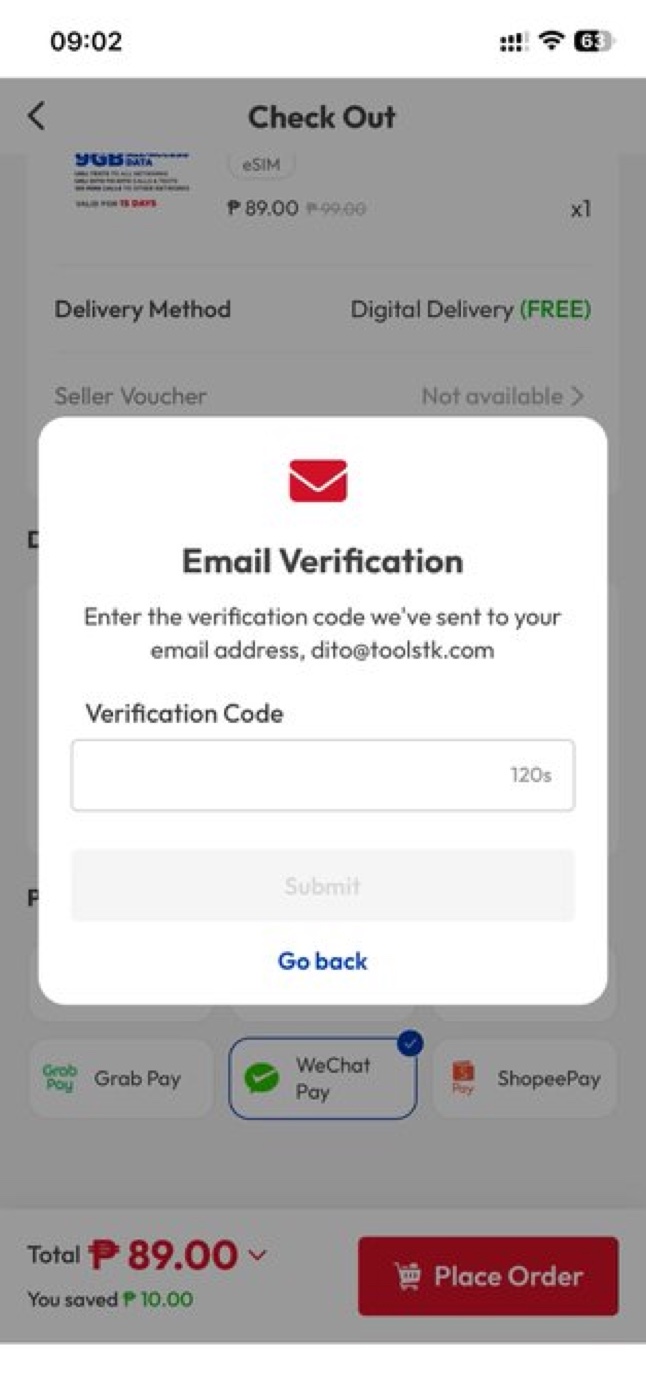
    1. Enter an email and tap Get Code to verify it. Your eSIM QR code gets sent to this address, so use a real inbox you can access.
    The email verification screen asking for the code sent to your email.
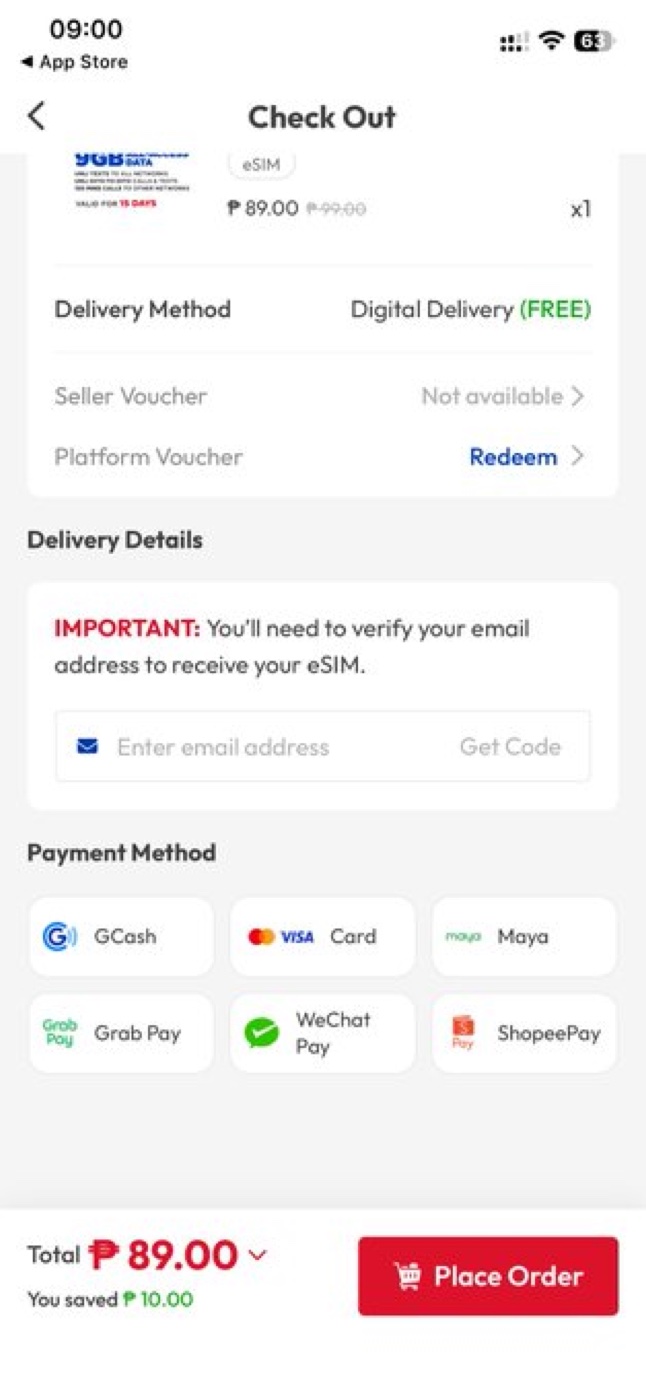
    1. Once the email is verified, pay with WeChat Pay — it’s the simplest option here. (Card payment tends to be more hassle.)
    The DITO checkout showing payment methods including WeChat Pay, total ₱89.

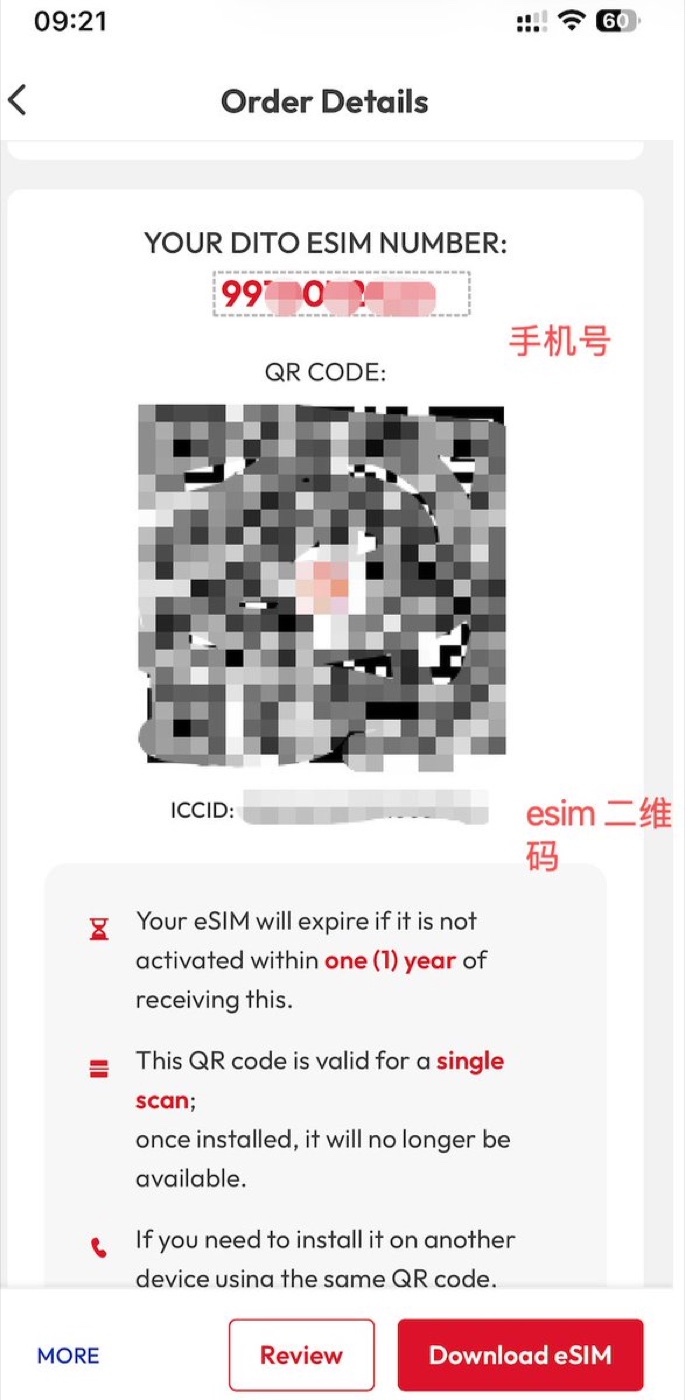
    Heads up after paying: back in the DITO app, if you tap “Download eSIM” it may just sit there spinning — don’t wait on that screen. Go back to the order page instead; after about 5–6 minutes the eSIM QR appears there, and it also arrives by email. Then scan the QR to install the eSIM.

    The order page showing the DITO eSIM number, QR code, and ICCID, with a note that the QR is valid for a single scan and expires in one year.

    Two things the QR screen tells you, and they matter: the eSIM expires if not activated within one year, and the QR is valid for a single scan — once installed it can’t be scanned again. Give it a few minutes after installing and you should get signal plus an activation SMS. If there’s no signal, check that the APN is selected, try switching carrier selection to automatic, and restart the phone.

    Step 2 — Register the SIM (the honest way)

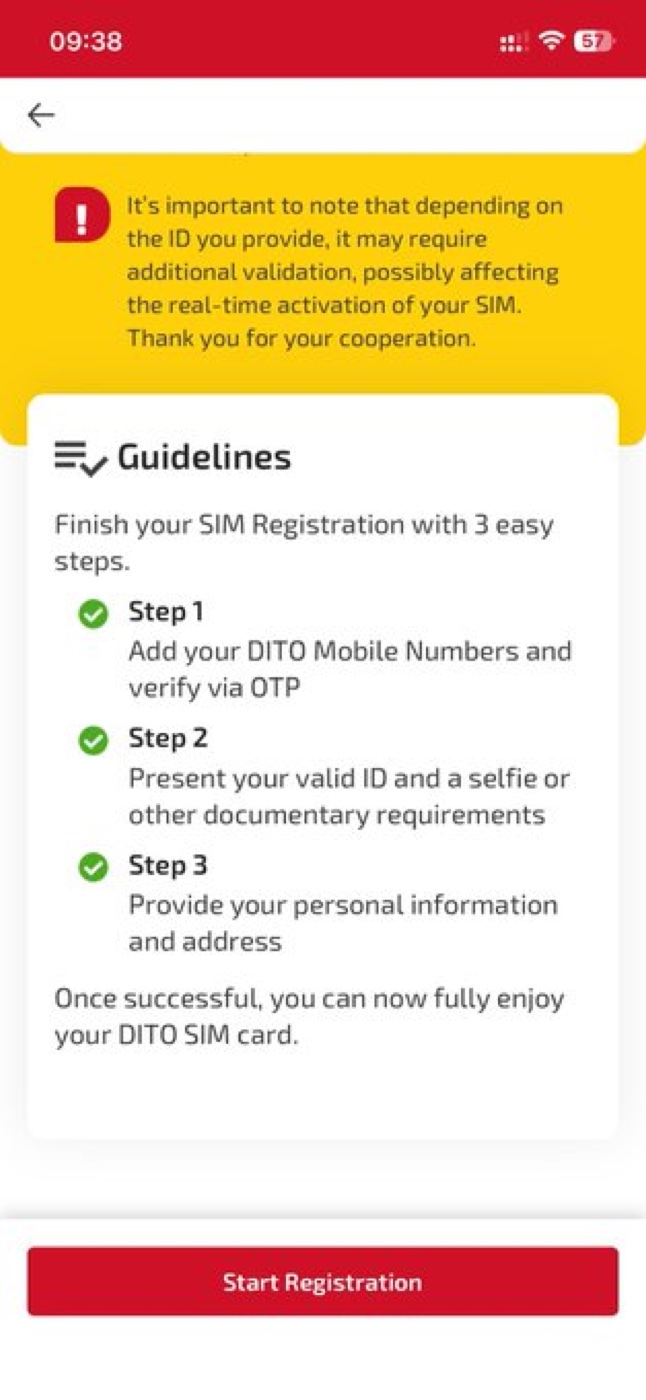
    The Philippines requires every SIM to be registered, and the registration has to be truthful. Open the DITO app, choose Sign in with your DITO number; you’ll be told the SIM is inactive and prompted to Register Now. Pick Register my DITO number → Proceed → Start Registration.

    DITO SIM registration guidelines: three steps — add and verify your number, present a valid ID and selfie, provide personal info and address.

    On the “Select type of registrant” screen, choose the category that matches your actual status. As a foreigner that means either Foreigner with Tourist VISA (if you’re visiting on a tourist visa) or Foreigners holding Non-tourist VISA (residents, employees, students, and so on). Don’t register as a “Filipino Individual” — that isn’t true if you’re not a Filipino citizen, SIM registration is a legal declaration, and readers have reported that option erroring out anyway.

    From there, follow the prompts: select Passport as your ID, upload a clear photo of the passport data page, take the selfie for the liveness check, and fill in your real personal details and address. A few tips that save a rejection:

    • Shoot the physical passport, not a photo of a screen — glare and moiré break the OCR.
    • Use even lighting with no shadow over the two machine-readable lines, and keep all four corners in frame.
    • Make sure the name matches your passport exactly.

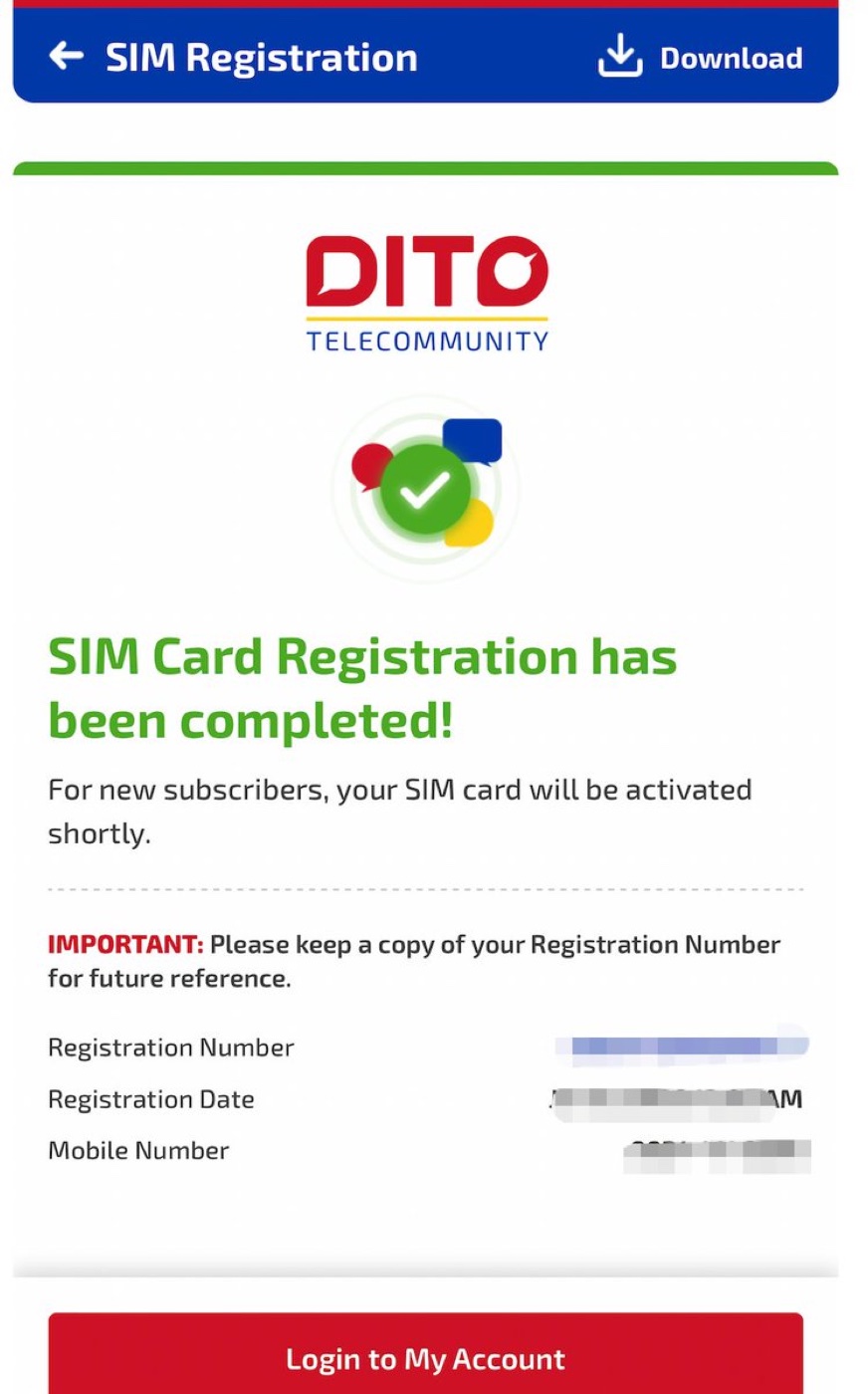
    Agree to the terms and submit. When you see “SIM Card Registration has been completed”, you’re done — keep a copy of the registration number. You’ll also get an SMS with a temporary login password (change it later), and a message confirming the number is active.

    The 'SIM Card Registration has been completed' confirmation screen with the registration number.

    Step 3 — Keep the number alive for pennies

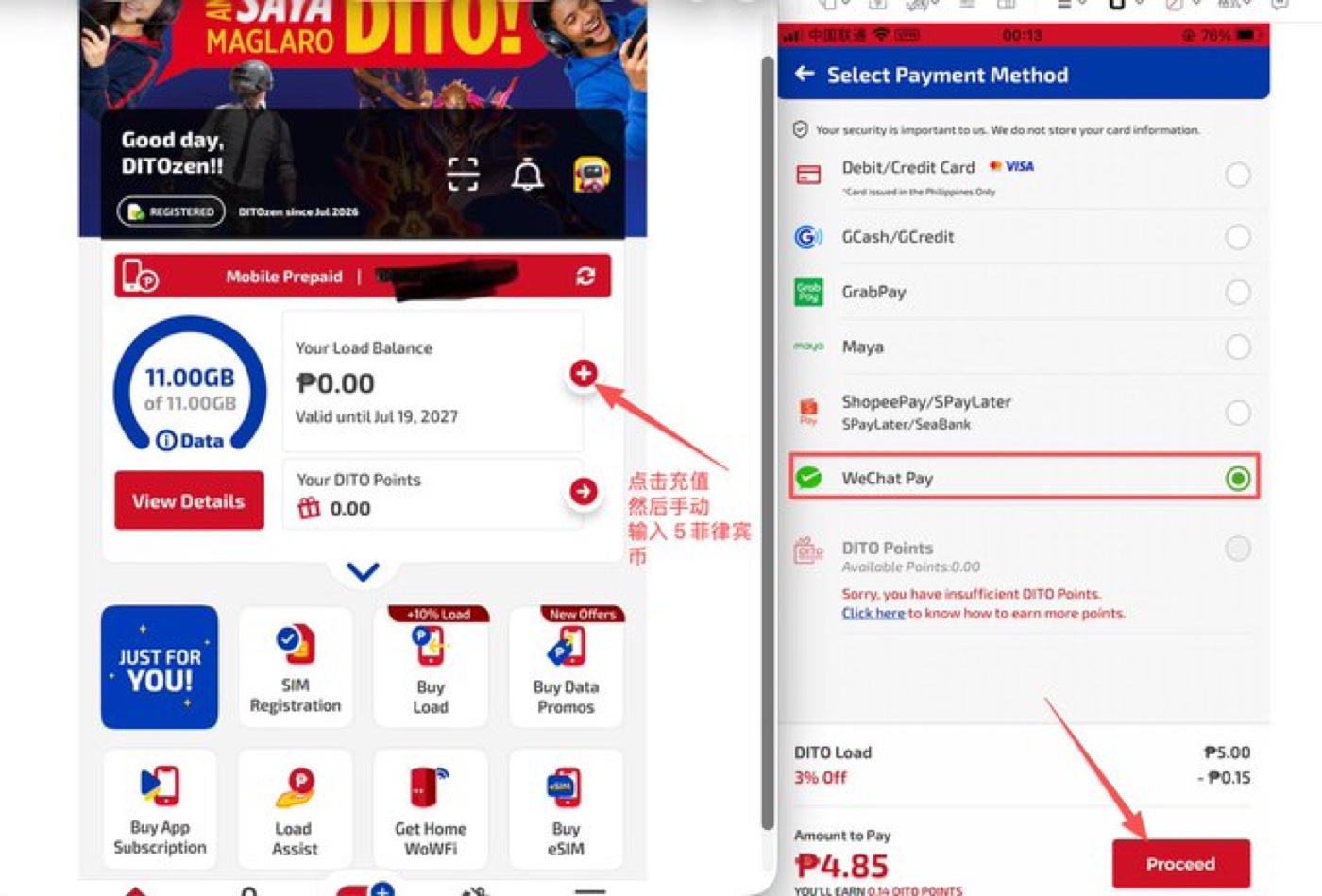
    This is the part that makes DITO worth keeping around. Sign in to the DITO app with your number (it starts with 0), using Sign In with SMS. Tap to add load, enter a small amount — the minimum is ₱5 — and pay with WeChat Pay again. With the 3% load discount it comes to well under ₱5 in practice.

    Adding a small DITO load and paying with WeChat Pay, amount around ₱4.85.

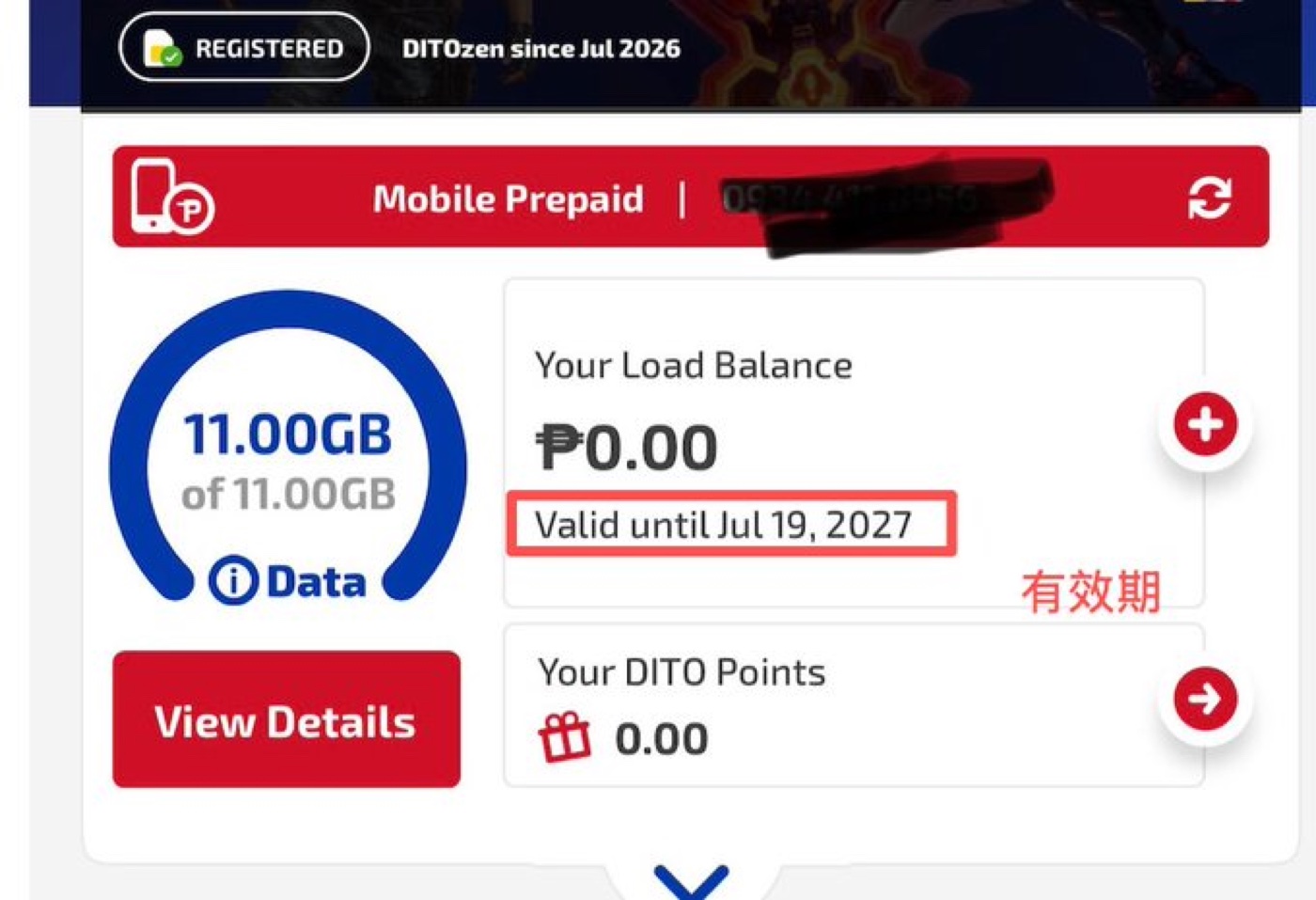
    Then watch the “Valid until” date on the home screen — that’s your number’s expiry. Each top-up of ₱5–₱10 (I’d do ₱10) pushes it out by a year. Topping up more at once doesn’t stack extra years, so once a year is enough. Do that and the number just keeps living, cheaply, in the background.

    The DITO home screen showing the load balance and a 'Valid until' expiry date.

    One clarification, since it trips people up: the “15-day” bundle you might see (the 9GB data and call minutes) is just the free promo that comes with the eSIM — it has nothing to do with keeping the number. For our purposes the number’s validity is the only thing that matters, and that’s what the yearly ₱5–₱10 top-up extends.

    Common questions (from real users)

    It shows “no signal.” Set network selection to manual and switch to China Telecom or China Unicom; toggle airplane mode off and on; restart the phone; and check the APN is selected. A few people noted that even when it displays “no signal,” it can still receive SMS — which is all you need for codes.

    I’m not getting some verification codes (WhatsApp, banks, certain apps). This one isn’t fully reliable. It’s not a VPN-node issue — sometimes the sender or carrier blocks the message and it works if you wait a while, and occasionally you’re unlucky and get a recycled number that some services don’t like. Treat SMS receipt as usually-fine, not guaranteed.

    Does it support Wi-Fi Calling? The promo says it does, but the guide’s author reported in the comments that they couldn’t get Wi-Fi Calling to work — so treat it as unreliable rather than a feature to count on.

    My QR code stopped working. The QR is single-use. If you deleted the eSIM you can’t just rescan it — contact DITO support to have a new one generated.

    The eSIM QR never showed up after paying. Wait a few minutes, go back to the order page and refresh, and check your email — it’s sent there too.

    Do I need a passport? Yes. Registration is real-name, and without a passport a lot of overseas services are off the table anyway.


    Prices, promos, and registration rules change over time, and SIM registration must be completed truthfully with your own details. Treat this as a snapshot of my own experience, follow the in-app instructions, and check DITO’s official app or website for the current process.

  • Xesim: eSIM for Phones That Still Have a Physical SIM Slot

    Xesim: eSIM for Phones That Still Have a Physical SIM Slot

    Just sharing my own experience — not advice. Prices, versions, and shipping details can change at any time, so always check Xesim’s official site for the latest.

    When you’re working abroad or living out of a suitcase, the phone-number problem is the annoying one: swapping SIM cards every time you land in a new country, and having no way to keep a home number active for verification codes while you’re away.

    Here’s the catch a lot of people run into: most new US iPhones are now eSIM-only — Apple dropped the physical SIM tray a few generations back. But a huge number of phones still use a physical SIM: most Android phones with a SIM slot, and older iPhones that still have a tray. If your phone takes a physical card, Xesim is a neat little fix.

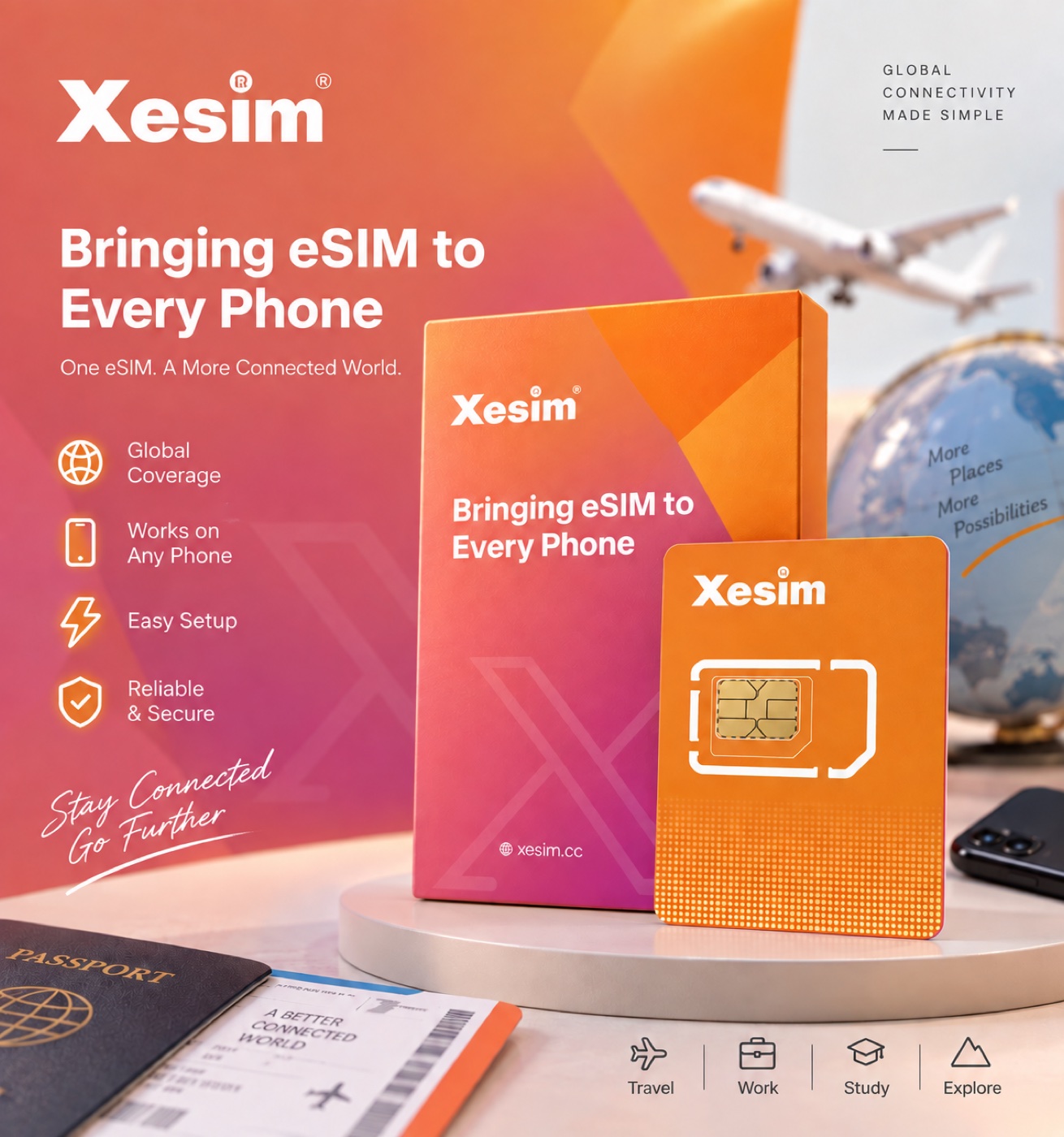
    Xesim looks and installs exactly like an ordinary SIM card. You pop it into your phone’s SIM slot and your phone suddenly gains eSIM powers — even if it never supported eSIM on its own.

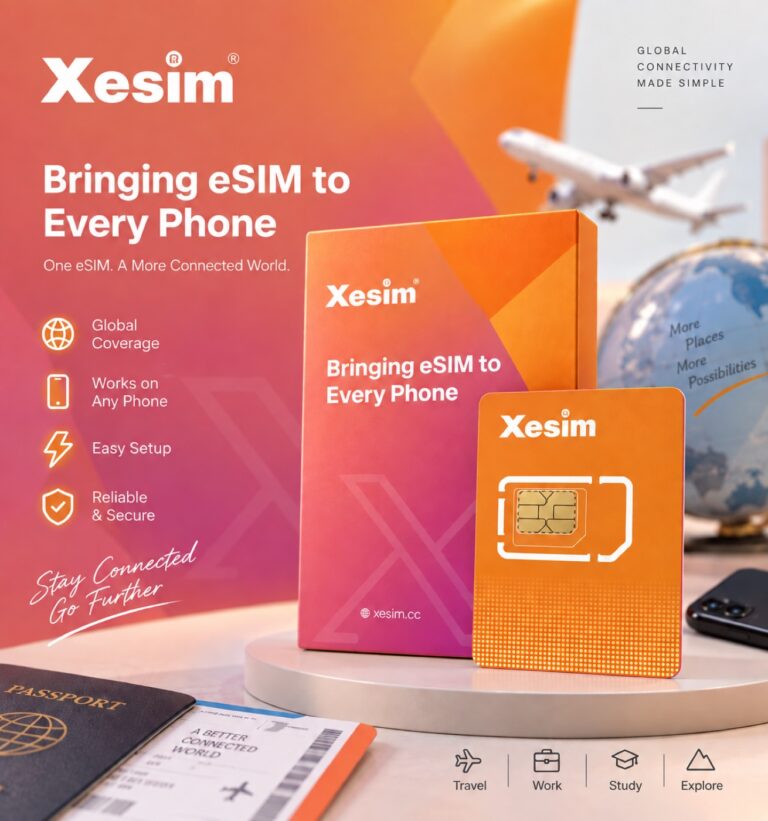
    The Xesim physical card and its box — 'Bringing eSIM to Every Phone' — it looks just like an ordinary SIM card.

    What it lets you do:

    • Store several numbers/plans on one card and switch countries without swapping SIMs — just tap to switch in the app.
    • Keep one fixed number for verification codes and banking apps, while running a separate local data plan for internet.
    • Stay off any single carrier — buy eSIM plans freely from providers like Airalo or Ubigi.

    Who it’s for:

    • Anyone whose phone has a physical SIM slot — most Android phones, and older iPhones with a tray.
    • Frequent travelers who want to switch local data plans without hunting down a new SIM each time.
    • People who just want to keep one long-term overseas number for verification codes and sign-ins.

    Heads up: if your phone is already eSIM-only — like a new US iPhone with no SIM tray — Xesim is a physical card, so it simply won’t fit. It’s made specifically for phones that still take a physical SIM.

    Also note: the card itself comes with no data. After you insert it, you still need to buy an eSIM data plan separately and load it onto the card before you can get online.

    Which version to get

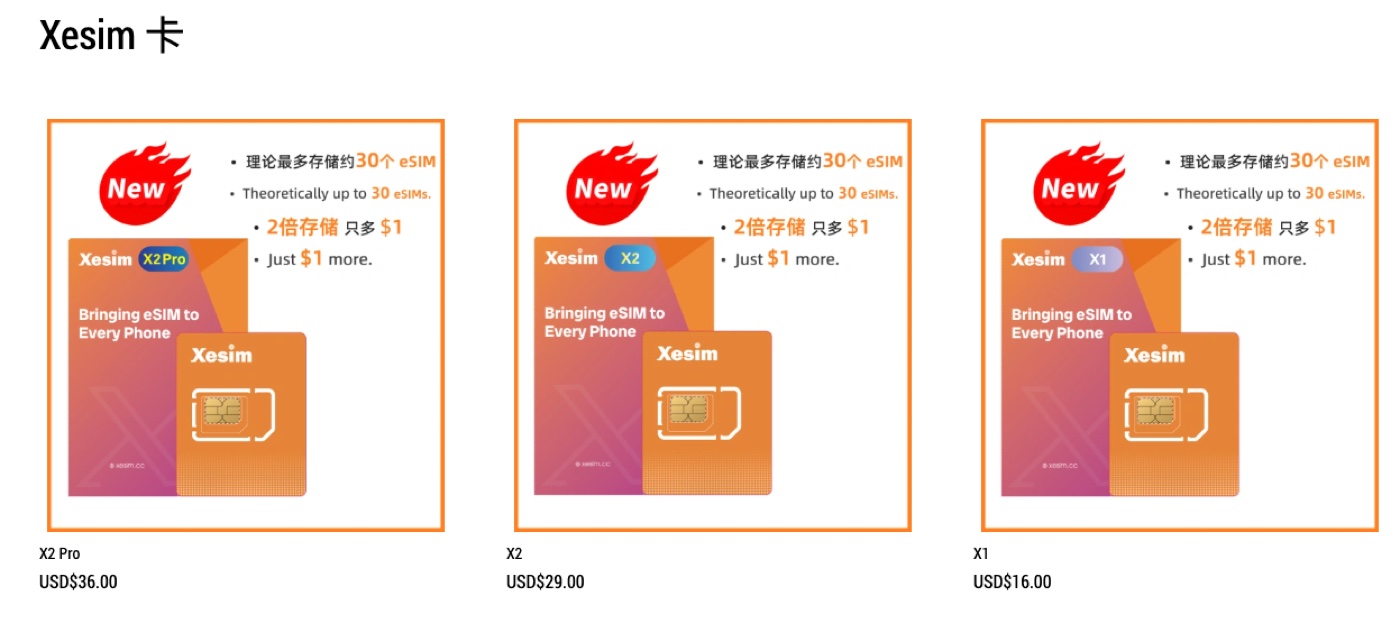
    The site sells three versions — X1 / X2 / X2 Pro — priced at $16 / $29 / $36. The main differences are how many eSIMs you can download onto the card, and whether you need an Android phone to load the very first eSIM:

    • Just want one fixed number and occasional travel data: get the X1 — the cheapest.
    • Travel often and switch local plans a lot: get the X2 — it stores more eSIMs.
    • About that first eSIM download: an iPhone can’t write the first eSIM onto the Xesim card directly — you need an Android phone to do the initial download, then move the card back to your iPhone. If you don’t have an Android phone, get the X2 Pro — it ships with a bit of built-in data so it can complete the first eSIM download on its own, no Android needed. (That built-in data is time-limited; check with official support for specifics.)
    Xesim version comparison: X2 Pro $36, X2 $29, X1 $16 — each can store up to about 30 eSIMs.

    How to order (step by step)

    1. Open the official site: Xesim (use discount code ZWQ66 at checkout for a small discount).
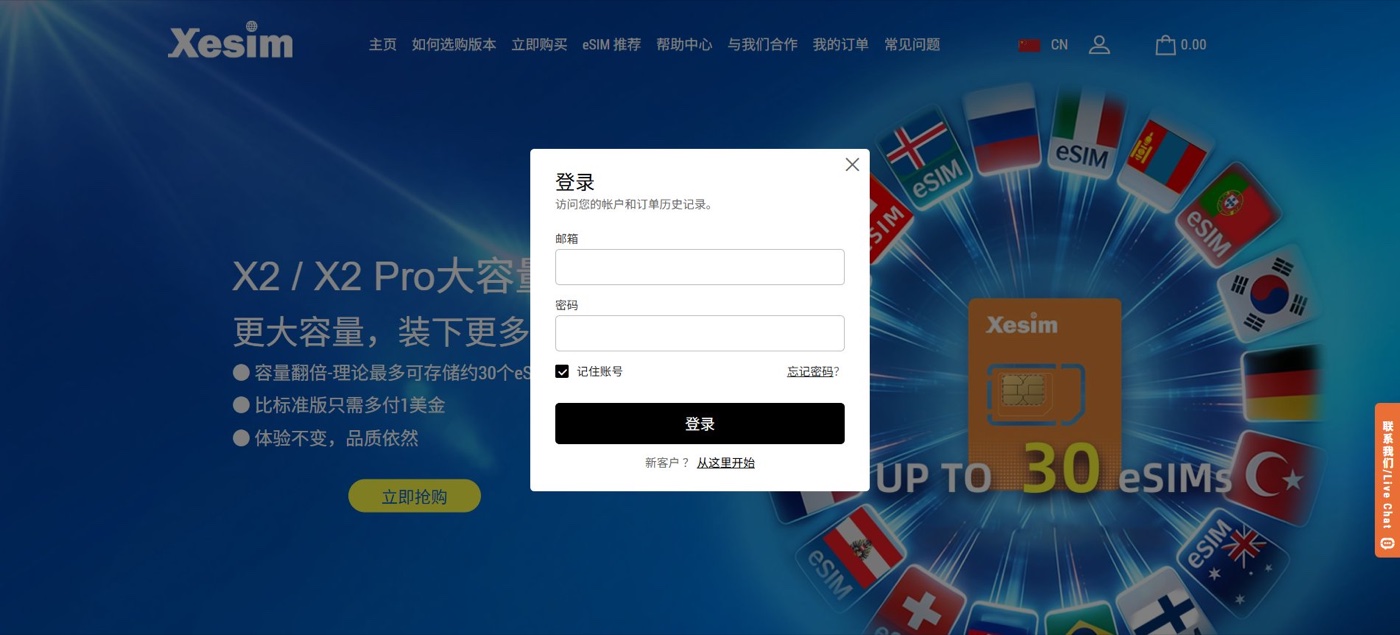
    2. Click the person icon at the top right and choose “Start here” to open the sign-up page.
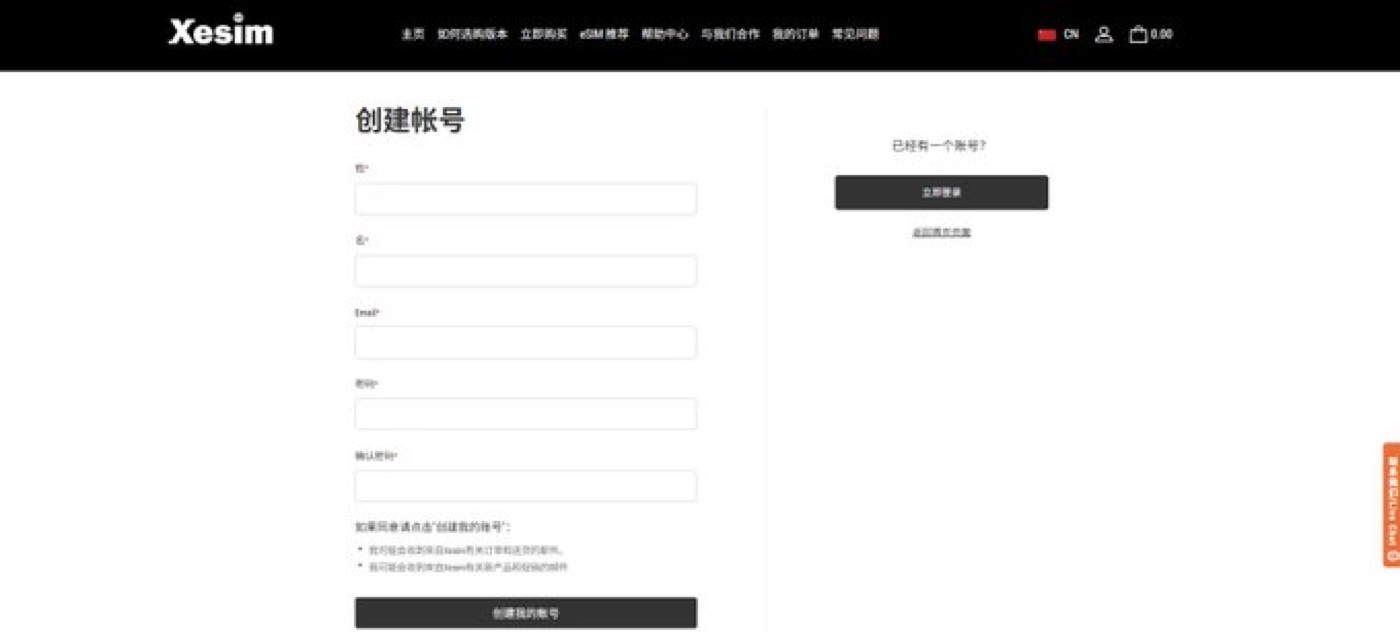
    3. Register with your email, set a password, and finish creating the account.
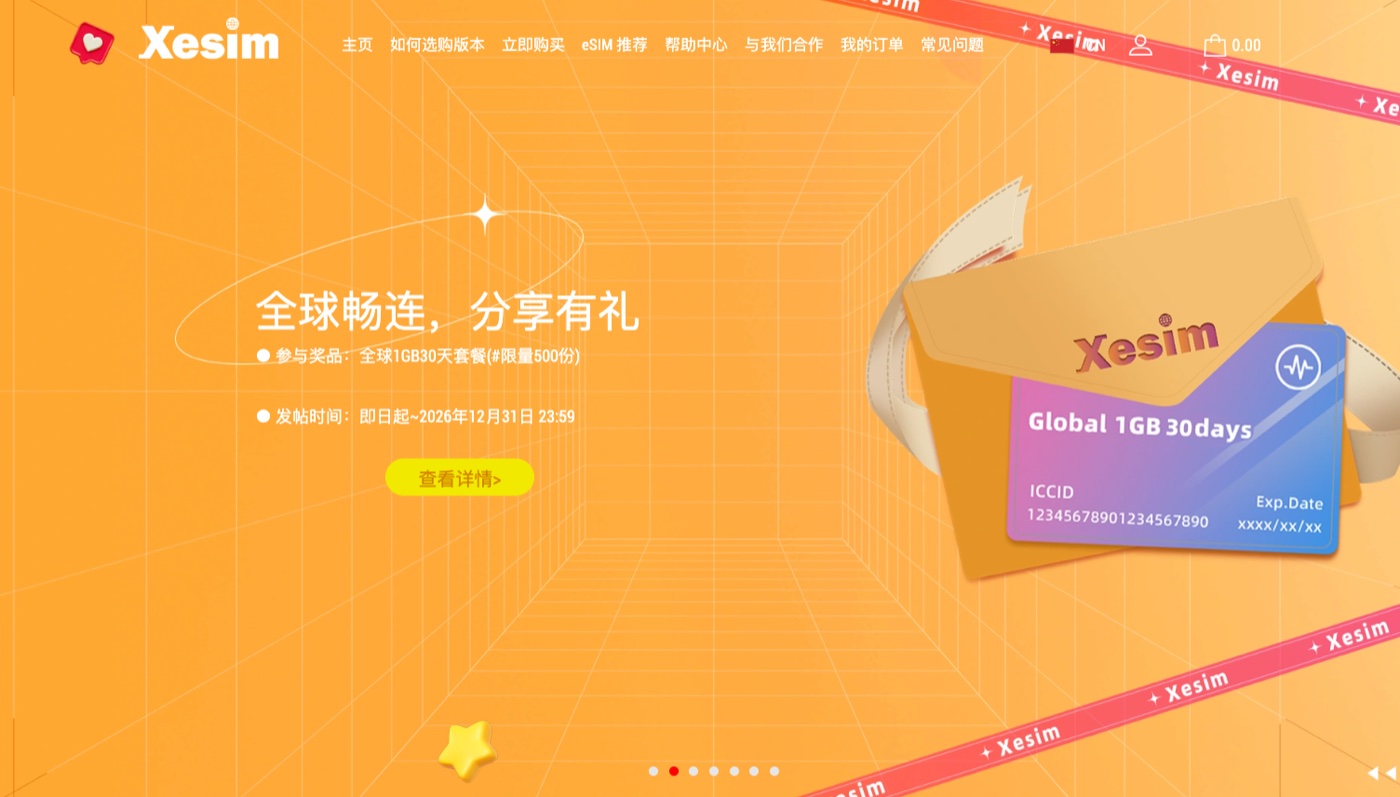
    The Xesim official website home page.
    Xesim login popup — new users click 'Start here'; the page notes you can store up to about 30 eSIMs.
    Xesim create-account form: name, email, and password.
    1. Go to the product page, pick your version (X1 / X2 / X2 Pro), and add it to the cart.
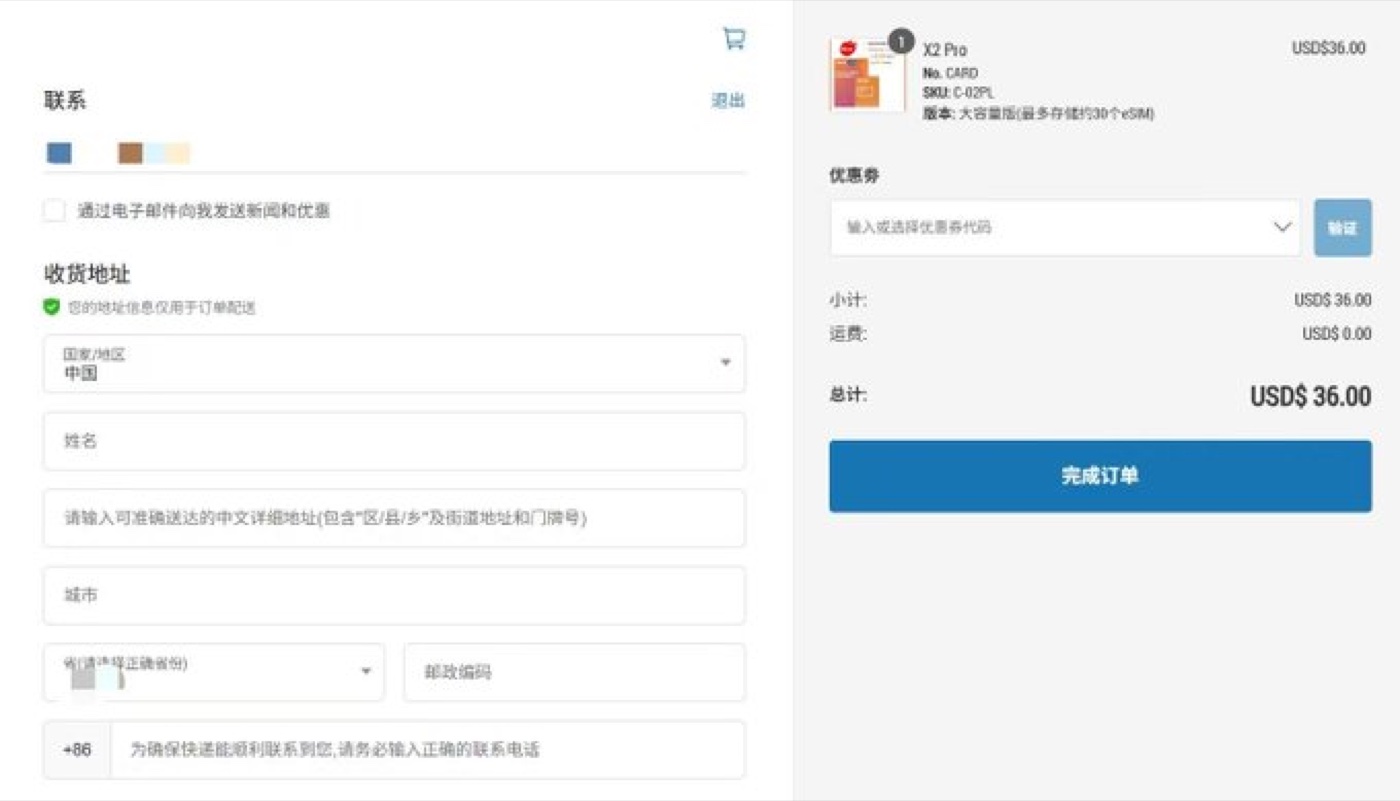
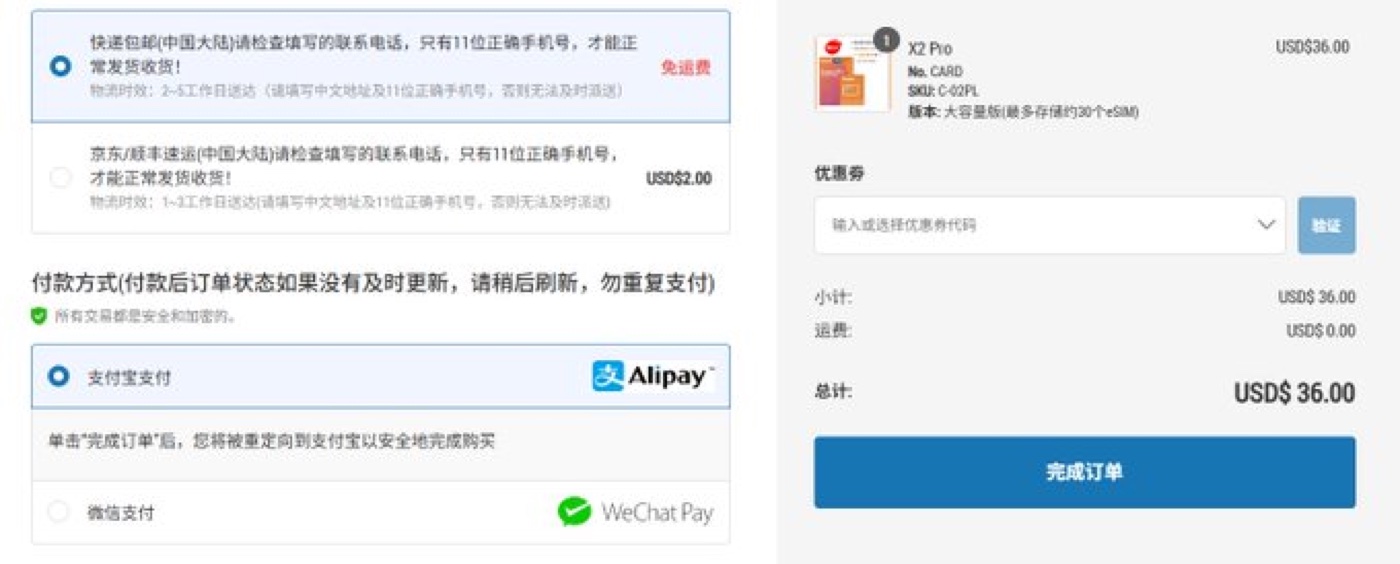
    2. Enter your shipping address. Note: the store ships within mainland China, so you’ll need a China delivery address and a valid local phone number.
    3. Choose a shipping method — standard is usually free (2–5 business days); remote regions may cost extra, and express options are available if you’re in a hurry.
    Xesim checkout page with the shipping-address fields, coupon box, and the X2 Pro order summary.
    Xesim checkout page showing shipping options and payment methods (Alipay, WeChat Pay).
    1. Choose a payment method — Alipay and WeChat Pay are supported.
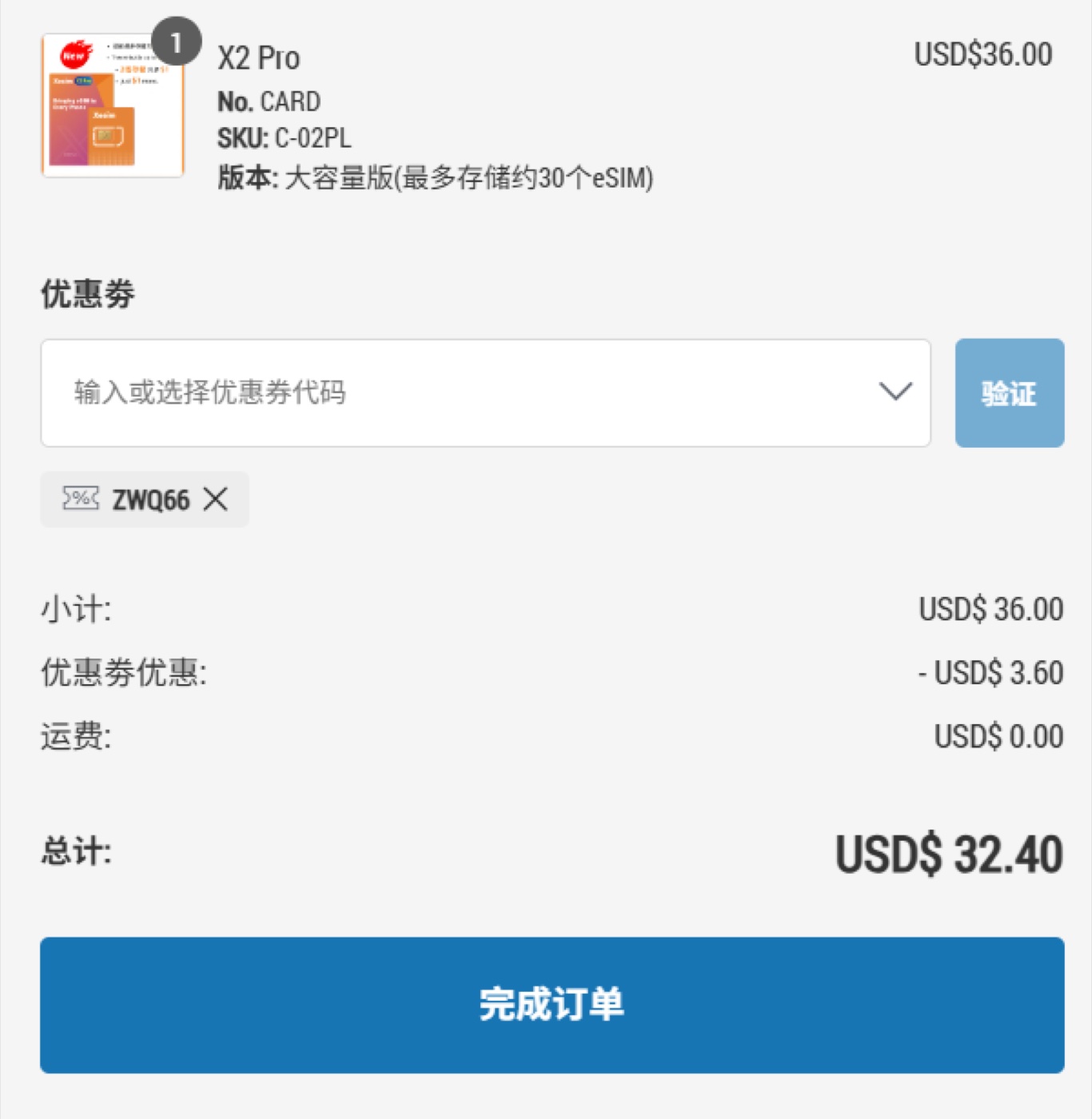
    2. Enter discount code ZWQ66 in the coupon box and click apply.
    3. Check the total and complete payment.
    4. Wait for delivery — usually 2–5 business days, depending on the courier.
    Order summary with the discount code applied — the X2 Pro drops from $36 to $32.40.

    Using it once it arrives

    1. Insert the card into your phone’s SIM slot.
    2. Download the first eSIM:
      • Android: install the official app, then scan the QR code or enter the activation code.
      • iPhone: Settings → Cellular → SIM Applications → Xesim, then follow the prompts.
    3. Activate the eSIM you want in the app or your phone’s menu, and you’re online. Switch plans later from the same place.
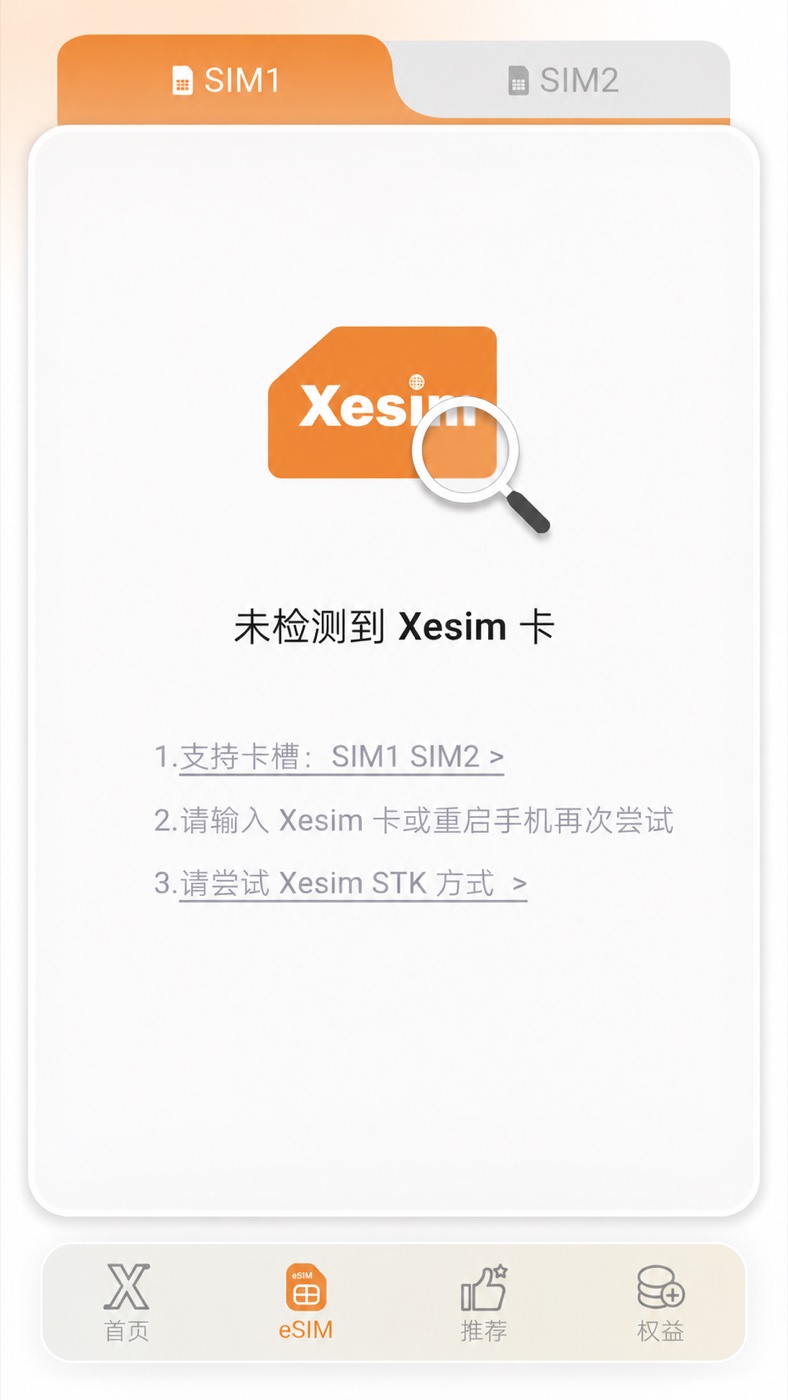
    The Xesim app eSIM screen — switch between SIM1/SIM2 and manage downloaded eSIMs.

    A quick tip: the card has no data of its own — after activating, buy an eSIM plan from a provider like Airalo or Ubigi and load it on. And before downloading a new eSIM, turn on mobile data and data roaming first, or the download tends to fail.

    Where to buy: Xesim official site  ·  Discount code: ZWQ66

    The code ZWQ66 is a working discount code I found online, shared here as a small perk for readers — I don’t earn any commission from it. Whether it works, and how much it saves, is whatever the site shows at checkout.


    Prices, versions, and shipping details can change over time — always go by the real-time information on Xesim’s official site.