Just sharing what has worked for me — not legal or financial advice. Philippine SIM registration is required by law and has to be truthful, so register with your real details. Prices and promos change over time, so check DITO’s official app or site for the latest.
Of all the cross-border plumbing I’ve set up, a Philippine DITO number stays one of the most underrated — not because it’s fancy, but because it’s cheap, low-friction, and it works. DITO is the Philippines’ third telecom carrier (DITO CME, built with China Telecom as a partner). For a few dollars you get an overseas number that’s handy for receiving verification codes, keeps working with barely any upkeep, and — if you go on to open a Maya account — serves as the Philippine mobile number that whole setup depends on.
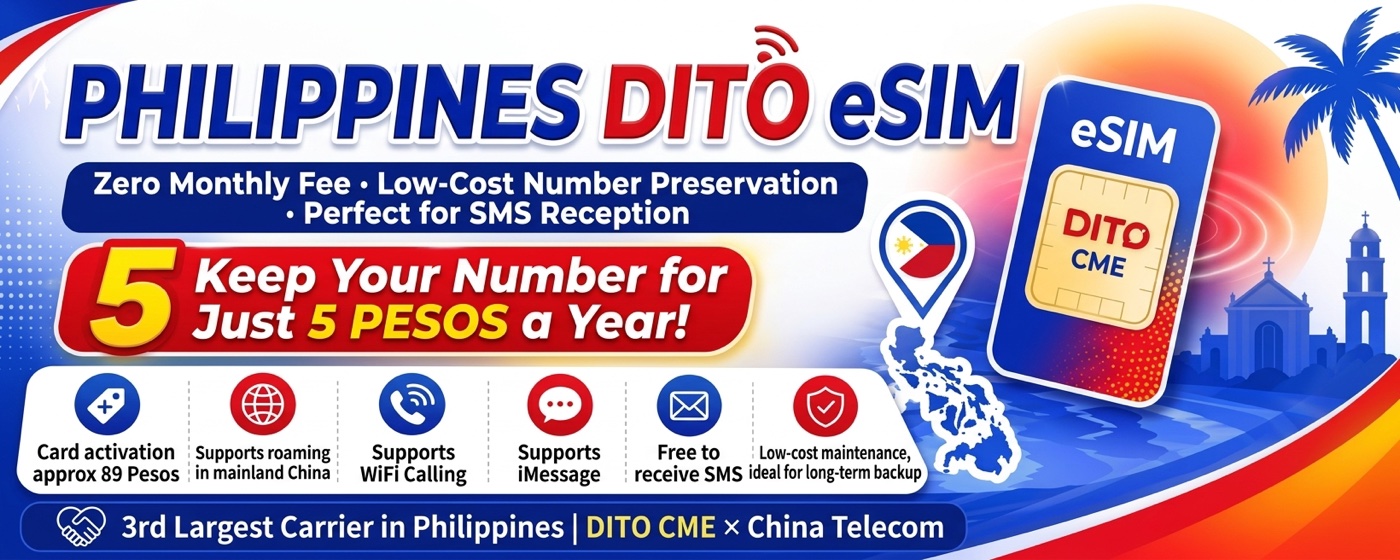
Why DITO, and what it costs
- eSIM cost: about ₱89 (roughly $1.5) for the eSIM itself.
- Cost to keep the number alive: a top-up of just ₱5 (a few cents) extends the number’s validity by another year.
- It roams in mainland China.
- Receiving SMS is free and unlimited — which is really the whole point.
A quick expectation-setter: think of this as a number for receiving codes and messages, not as a daily phone line. Making calls or sending SMS on an overseas number is expensive and not what it’s good at. (One caveat: the promo lists Wi-Fi Calling support, but the author of the guide I’m building on said in the comments they couldn’t actually get Wi-Fi Calling working — so don’t count on it.)
One prerequisite: your phone needs to handle eSIM. If it can’t — a non-eSIM iPhone, or an Android that only takes a physical SIM — you can write the eSIM profile onto a physical card and use it like a normal SIM. I use Xesim for that (separate guide).
Step 1 — Buy the eSIM
- Download the DITO app (App Store / Google Play).
- Open the app, swipe up, and go to eShop.
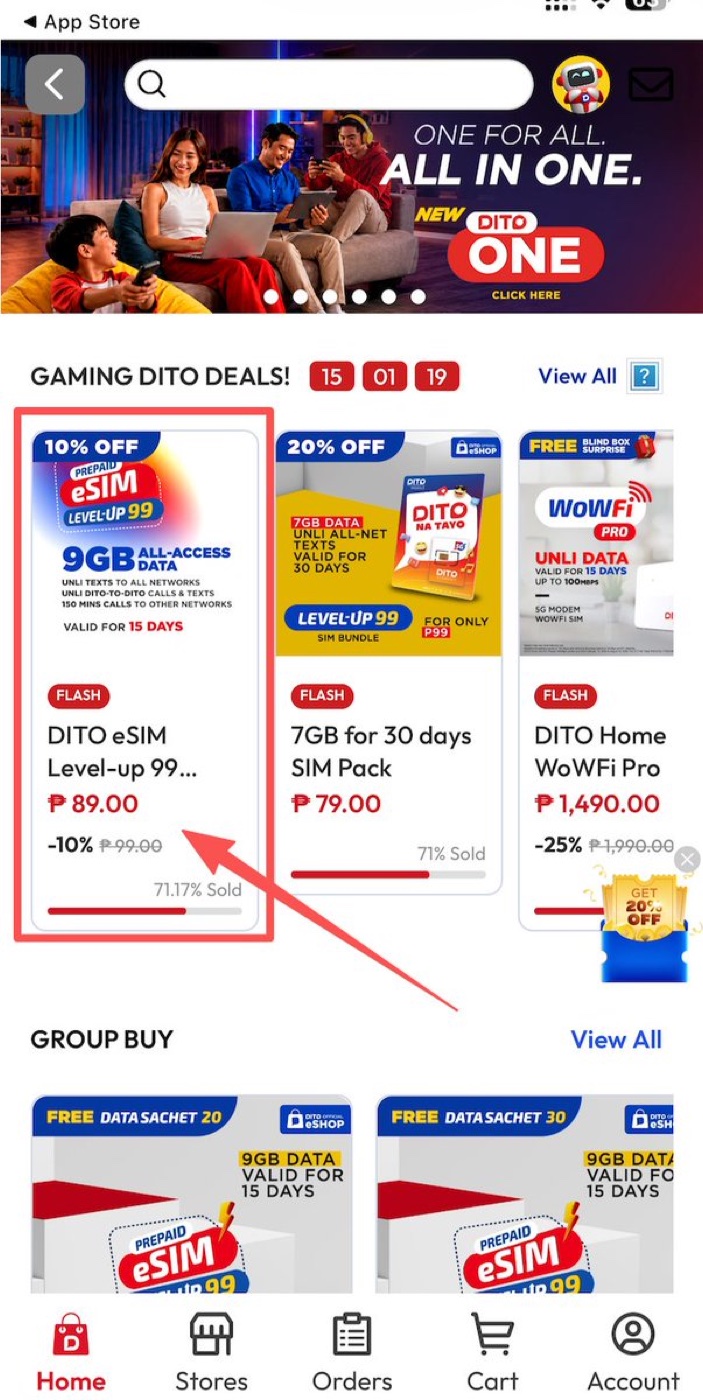
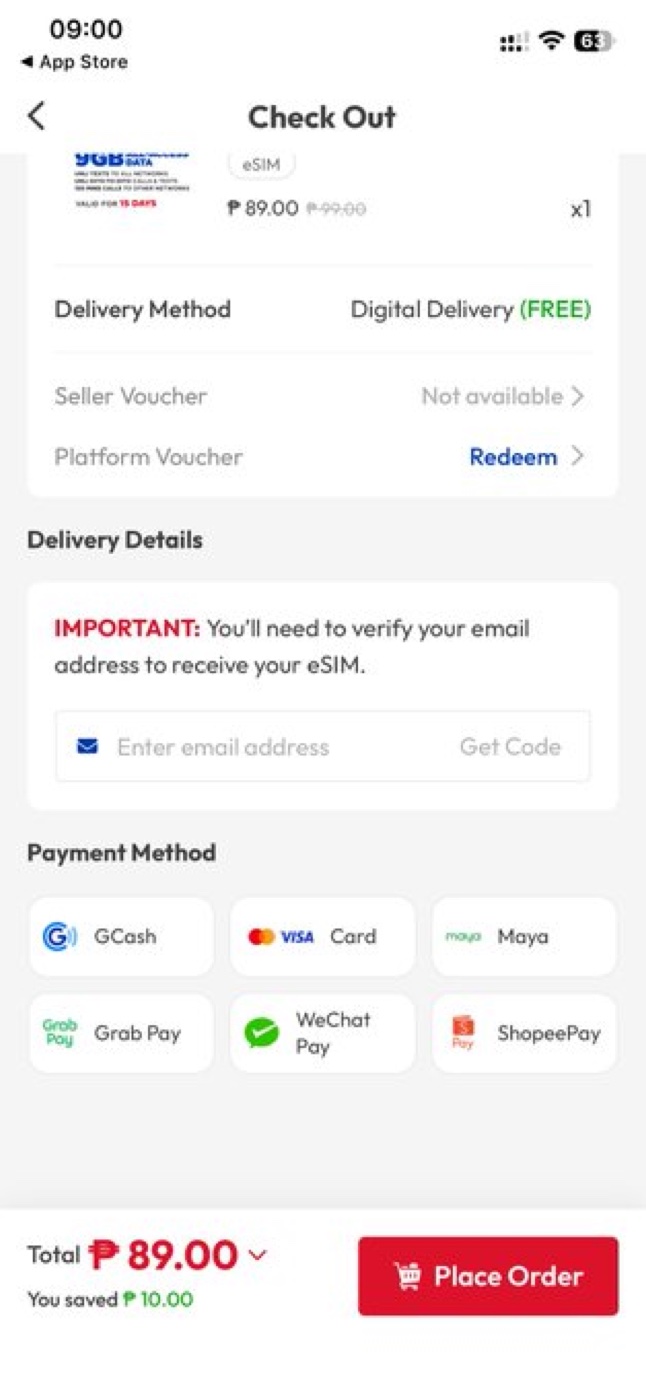
- Buy the ₱89 eSIM (at the time of writing it’s the “DITO eSIM Level-up 99” on a 10% flash discount).
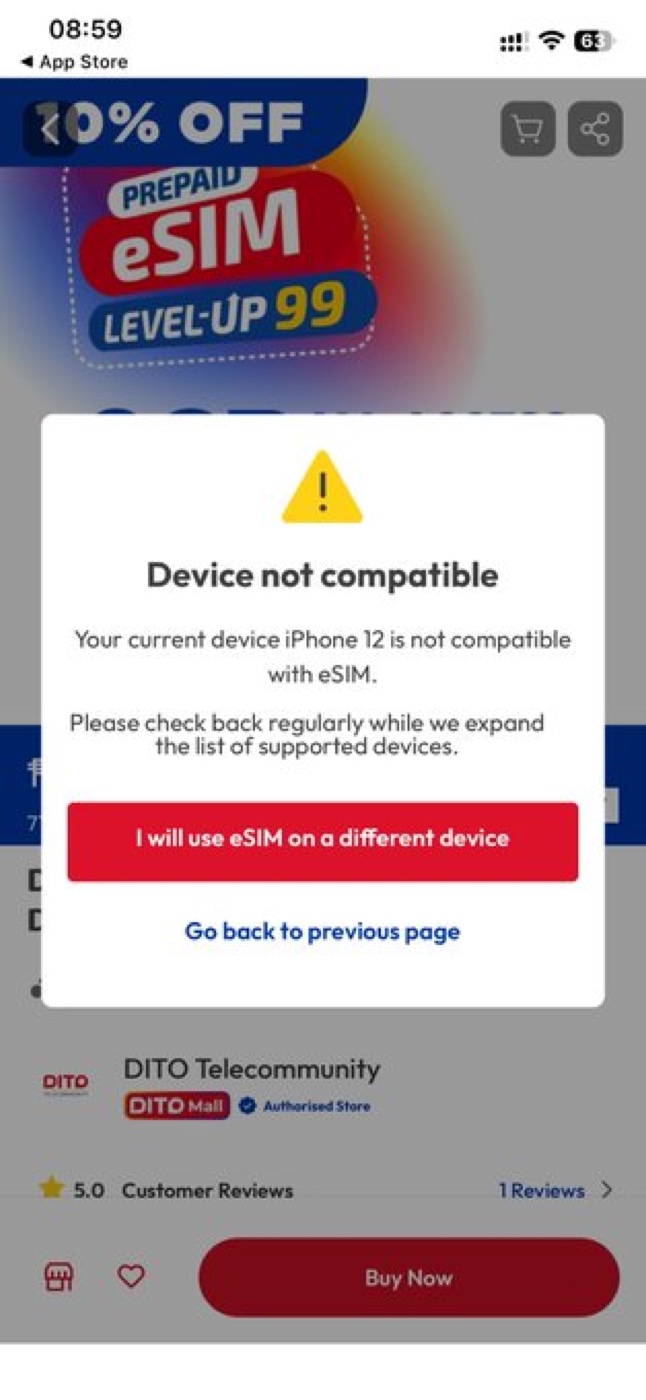
- Tap buy. If a popup says your current phone doesn’t support eSIM, choose “I will use eSIM on a different device.”
- Enter an email and tap Get Code to verify it. Your eSIM QR code gets sent to this address, so use a real inbox you can access.
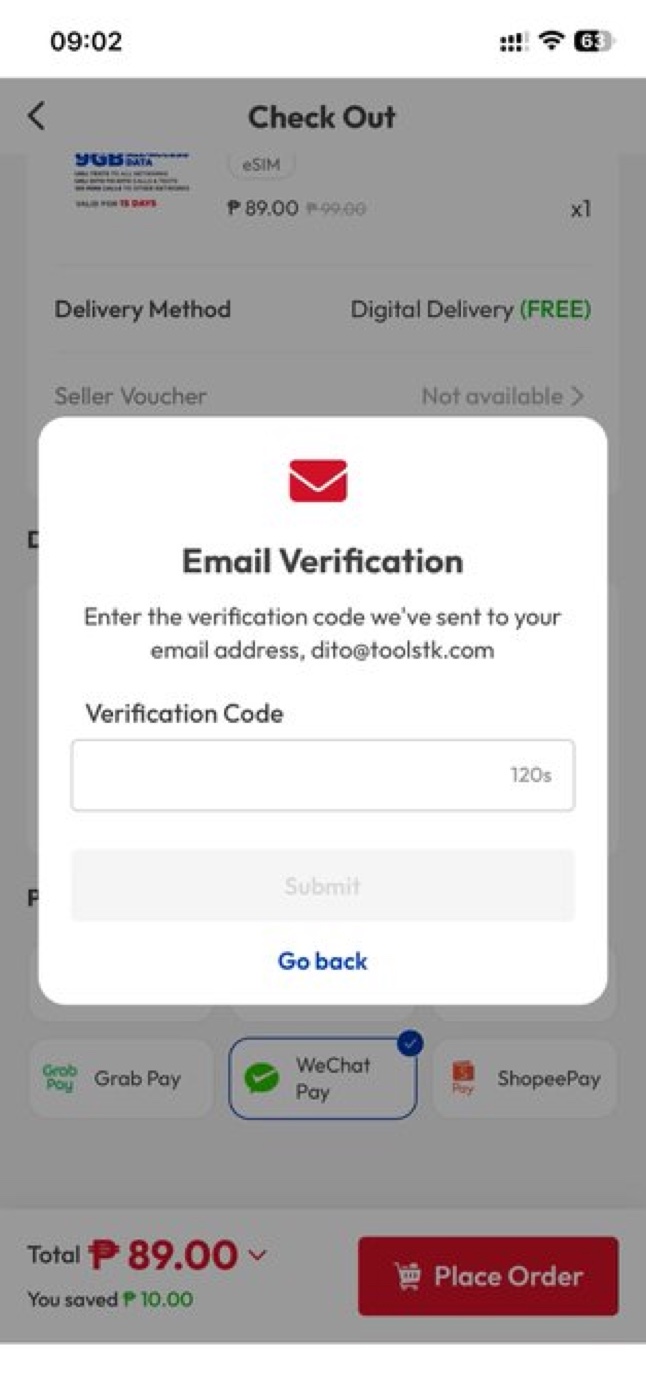
- Once the email is verified, pay with WeChat Pay — it’s the simplest option here. (Card payment tends to be more hassle.)
Heads up after paying: back in the DITO app, if you tap “Download eSIM” it may just sit there spinning — don’t wait on that screen. Go back to the order page instead; after about 5–6 minutes the eSIM QR appears there, and it also arrives by email. Then scan the QR to install the eSIM.
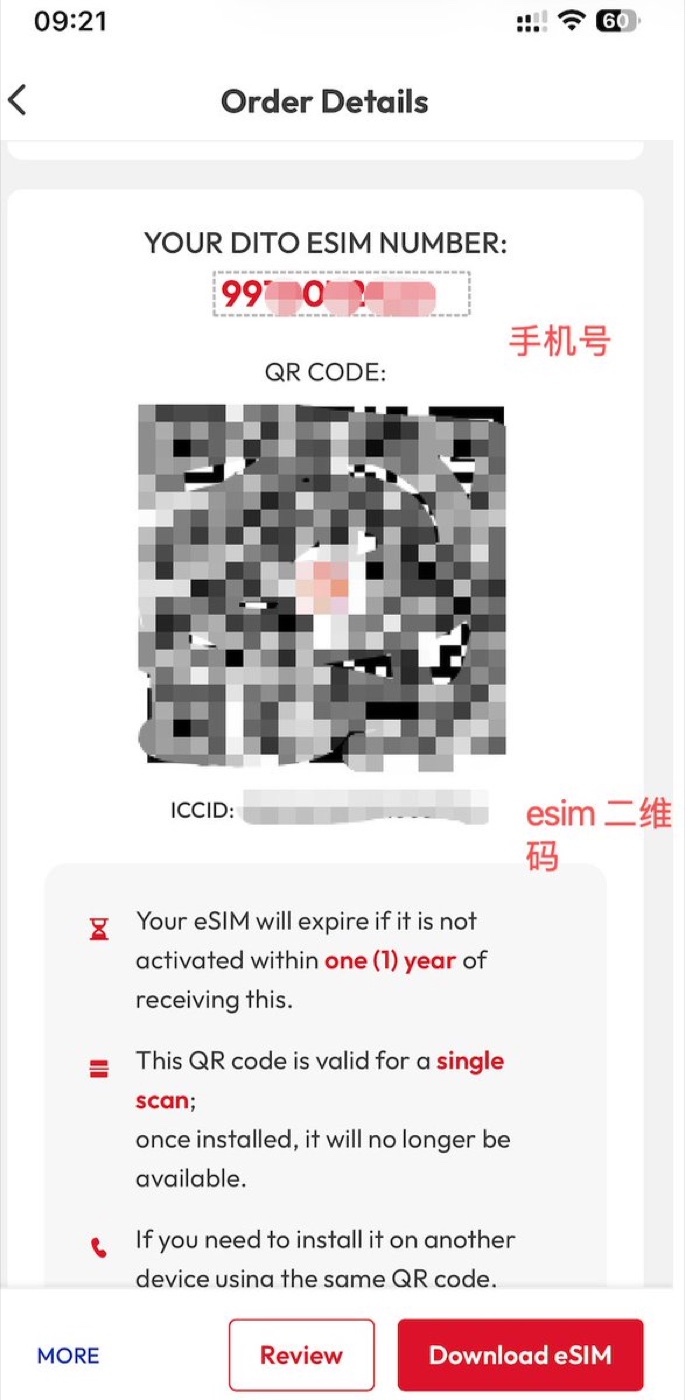
Two things the QR screen tells you, and they matter: the eSIM expires if not activated within one year, and the QR is valid for a single scan — once installed it can’t be scanned again. Give it a few minutes after installing and you should get signal plus an activation SMS. If there’s no signal, check that the APN is selected, try switching carrier selection to automatic, and restart the phone.
Step 2 — Register the SIM (the honest way)
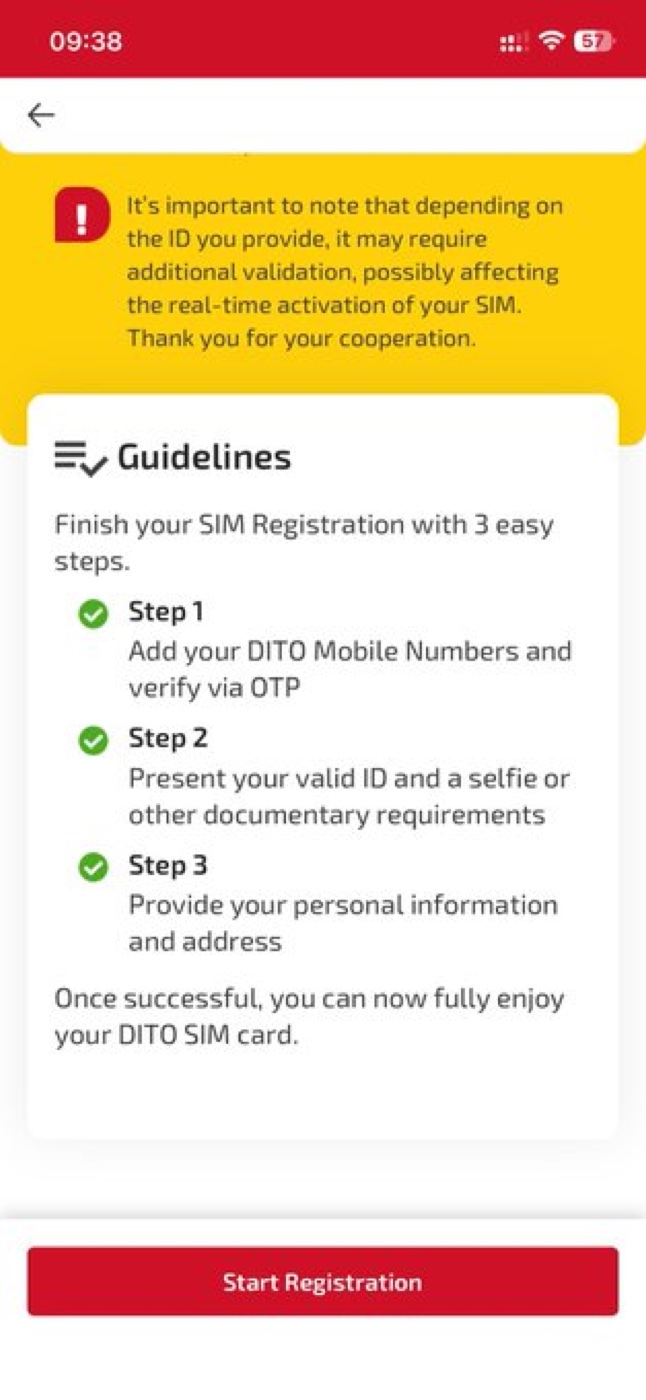
The Philippines requires every SIM to be registered, and the registration has to be truthful. Open the DITO app, choose Sign in with your DITO number; you’ll be told the SIM is inactive and prompted to Register Now. Pick Register my DITO number → Proceed → Start Registration.
On the “Select type of registrant” screen, choose the category that matches your actual status. As a foreigner that means either Foreigner with Tourist VISA (if you’re visiting on a tourist visa) or Foreigners holding Non-tourist VISA (residents, employees, students, and so on). Don’t register as a “Filipino Individual” — that isn’t true if you’re not a Filipino citizen, SIM registration is a legal declaration, and readers have reported that option erroring out anyway.
From there, follow the prompts: select Passport as your ID, upload a clear photo of the passport data page, take the selfie for the liveness check, and fill in your real personal details and address. A few tips that save a rejection:
- Shoot the physical passport, not a photo of a screen — glare and moiré break the OCR.
- Use even lighting with no shadow over the two machine-readable lines, and keep all four corners in frame.
- Make sure the name matches your passport exactly.
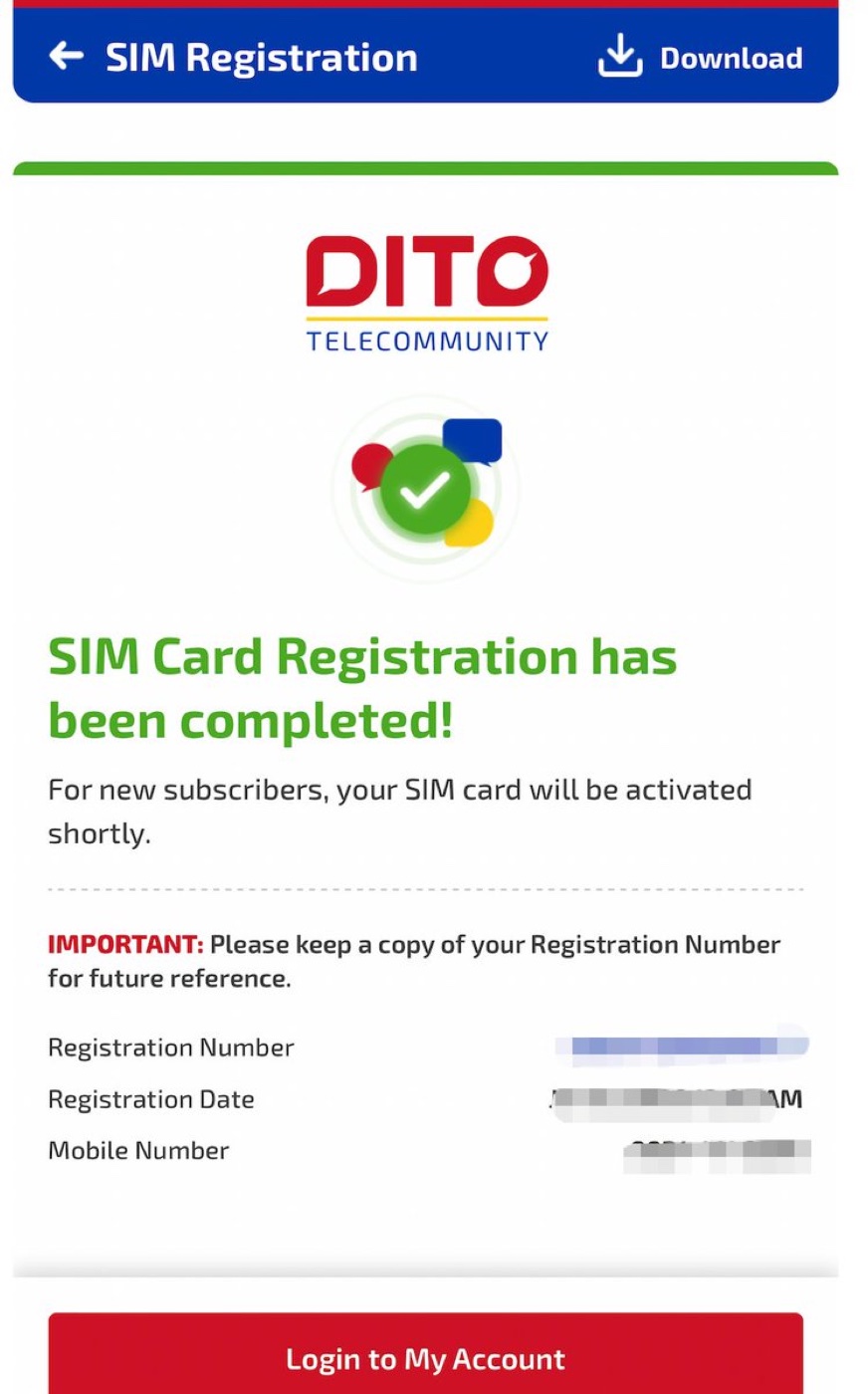
Agree to the terms and submit. When you see “SIM Card Registration has been completed”, you’re done — keep a copy of the registration number. You’ll also get an SMS with a temporary login password (change it later), and a message confirming the number is active.
Step 3 — Keep the number alive for pennies
This is the part that makes DITO worth keeping around. Sign in to the DITO app with your number (it starts with 0), using Sign In with SMS. Tap to add load, enter a small amount — the minimum is ₱5 — and pay with WeChat Pay again. With the 3% load discount it comes to well under ₱5 in practice.
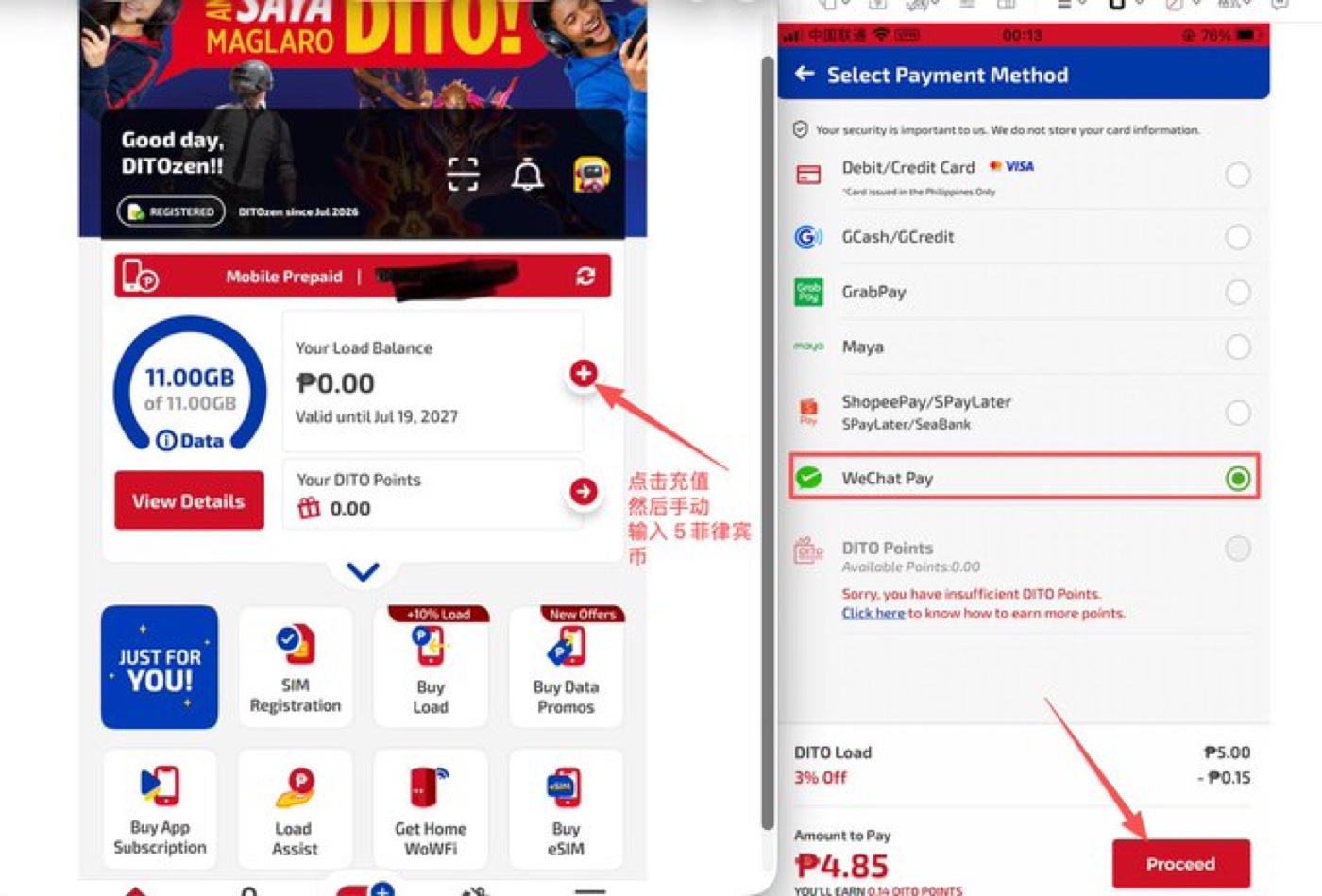
Then watch the “Valid until” date on the home screen — that’s your number’s expiry. Each top-up of ₱5–₱10 (I’d do ₱10) pushes it out by a year. Topping up more at once doesn’t stack extra years, so once a year is enough. Do that and the number just keeps living, cheaply, in the background.
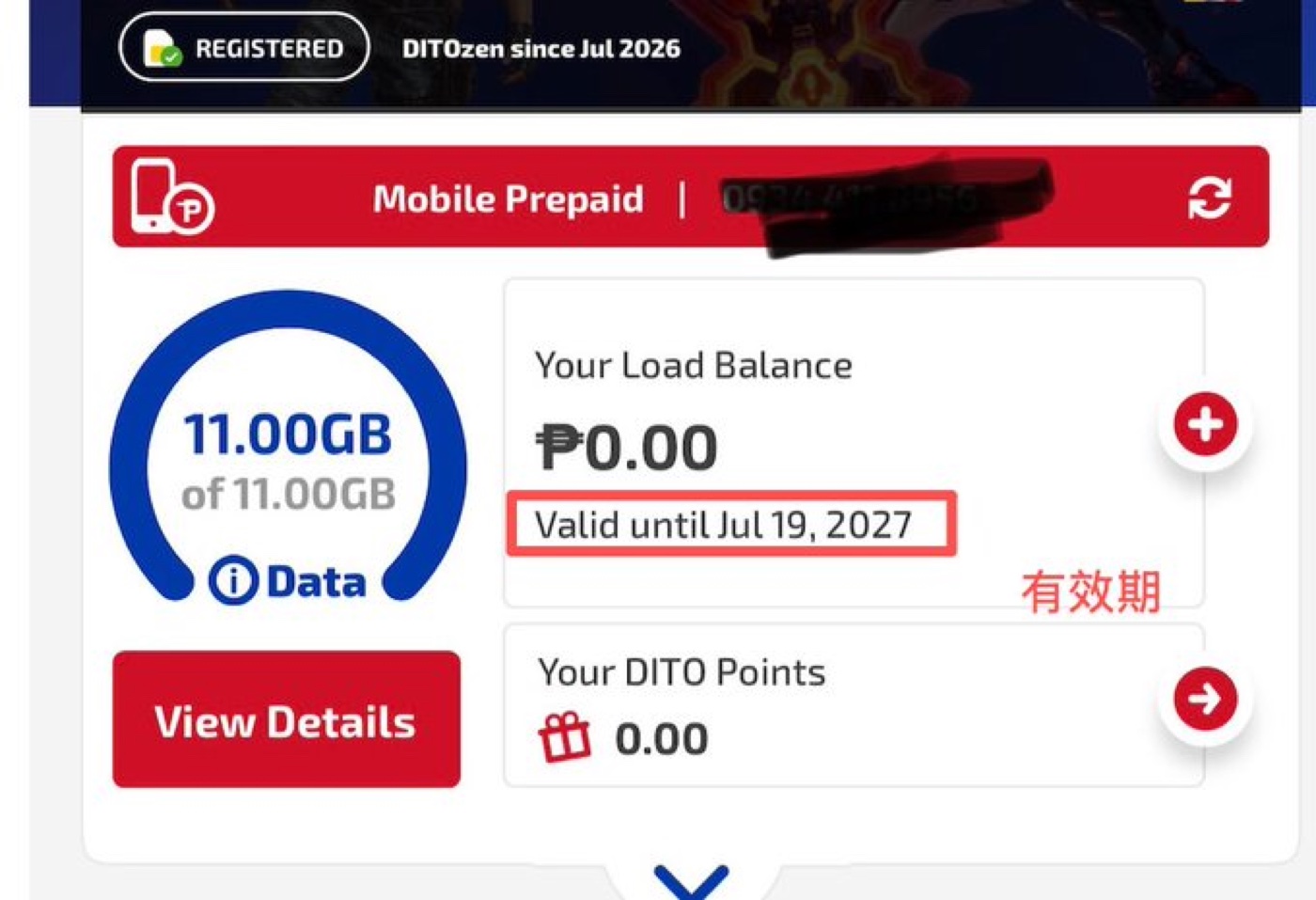
One clarification, since it trips people up: the “15-day” bundle you might see (the 9GB data and call minutes) is just the free promo that comes with the eSIM — it has nothing to do with keeping the number. For our purposes the number’s validity is the only thing that matters, and that’s what the yearly ₱5–₱10 top-up extends.
Common questions (from real users)
It shows “no signal.” Set network selection to manual and switch to China Telecom or China Unicom; toggle airplane mode off and on; restart the phone; and check the APN is selected. A few people noted that even when it displays “no signal,” it can still receive SMS — which is all you need for codes.
I’m not getting some verification codes (WhatsApp, banks, certain apps). This one isn’t fully reliable. It’s not a VPN-node issue — sometimes the sender or carrier blocks the message and it works if you wait a while, and occasionally you’re unlucky and get a recycled number that some services don’t like. Treat SMS receipt as usually-fine, not guaranteed.
Does it support Wi-Fi Calling? The promo says it does, but the guide’s author reported in the comments that they couldn’t get Wi-Fi Calling to work — so treat it as unreliable rather than a feature to count on.
My QR code stopped working. The QR is single-use. If you deleted the eSIM you can’t just rescan it — contact DITO support to have a new one generated.
The eSIM QR never showed up after paying. Wait a few minutes, go back to the order page and refresh, and check your email — it’s sent there too.
Do I need a passport? Yes. Registration is real-name, and without a passport a lot of overseas services are off the table anyway.
Prices, promos, and registration rules change over time, and SIM registration must be completed truthfully with your own details. Treat this as a snapshot of my own experience, follow the in-app instructions, and check DITO’s official app or website for the current process.
Leave a Reply